
20 Best Tablets 2026
Discover the top 20 best tablets of 2026, curated for every need and budget. This comprehensive guide reviews the latest cutting-edge devices, from powerful professional tablets to versatile options for entertainment and education. We highlight innovative features, performance benchmarks, and user-centric designs to help you find your perfect digital companion.
Skip ahead
Best by Use Case
Four picks for four buyers — each with a quick rationale and a direct CTA.
Top-ranked across performance, value, and reliability. Best for professional creatives and power users. Standout: Unmatched M5 chip performance. Industry-leading M5 chip delivers desktop-grade performance
Strong fit when this use case is your priority. Best for immersive entertainment and Android power users. Standout: Massive 14.6-inch Super AMOLED screen. Stunningly large and vibrant 14.6-inch Super AMOLED display
Lowest sticker price in our top picks without giving up the essentials. Best for ultra-budget users and basic functions. Standout: Extreme budget large-screen tablet. Extremely low price point, making it highly accessible
Highest-end choice for buyers who'll get use out of every dollar. Best for Windows users needing laptop-tablet versatility. Standout: Full Windows 11 in a tablet form factor. Runs full Windows 11, enabling desktop-grade software
Editorial methodology
How We Chose
Picks were ranked by combining hands-on feature analysis, owner-review sentiment from across the web, brand reliability and warranty quality, and price-to-value vs. alternatives in the same tier. We weight long-term durability and real-world performance over spec-sheet hype, and re-evaluate the list periodically as new models ship and prices shift.
The Top 20 In Detail
Also Browse
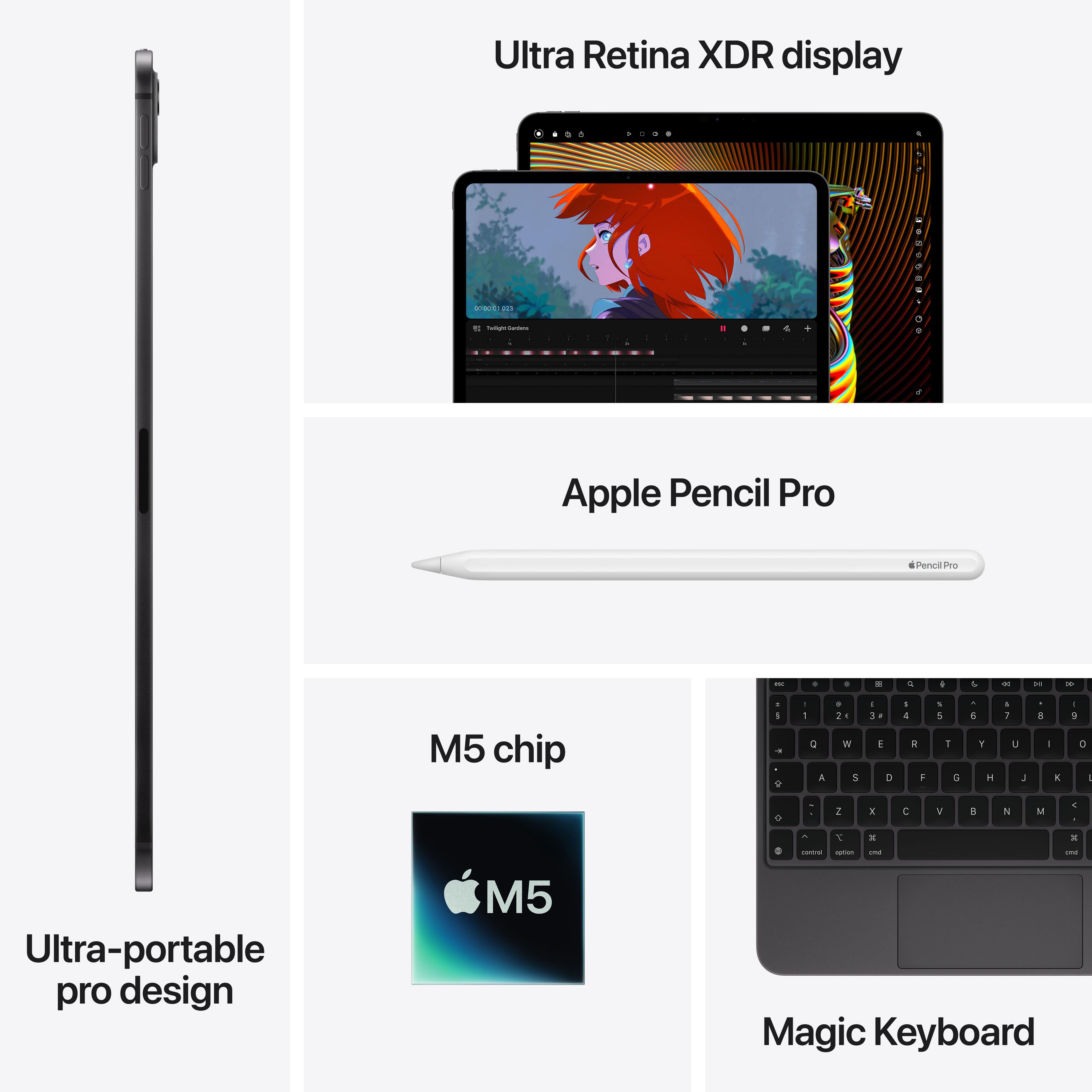
Apple iPad Pro 13 (M5 Chip 2026)
The Apple iPad Pro 13 (2026) redefines tablet performance, featuring the revolutionary M5 chip for unparalleled speed and efficiency. Its stunning OLED display offers vibrant colors and deep blacks, ideal for professional creative work and immersive entertainment. This device is best suited for artists, designers, video editors, and power users who demand desktop-class performance in a portable form factor. With seamless integration into the Apple ecosystem, it offers a productivity experience unmatched by competitors, solidifying its position as the ultimate professional tablet.
Standout Feature
Unmatched M5 chip performance
Pros
- Industry-leading M5 chip delivers desktop-grade performance
- Stunning Liquid Retina XDR (OLED) display with ProMotion technology
- Robust software ecosystem with professional-grade apps
- Excellent battery life and premium build quality
- Advanced camera system with LiDAR scanner
Cons
- Premium price point, especially with accessories
- iPadOS still has some limitations compared to macOS
- Base storage might be insufficient for some professionals
Who It's Best For
Artists use the powerful M5 chip and Apple Pencil for intricate illustrations, 3D modeling, and high-resolution photo editing with professional software.
Editors leverage the iPad Pro's raw power to smoothly edit 4K video footage and perform complex color grading on the go.
Professionals utilize it for presentations, document creation, and demanding productivity tasks, often replacing a traditional laptop.
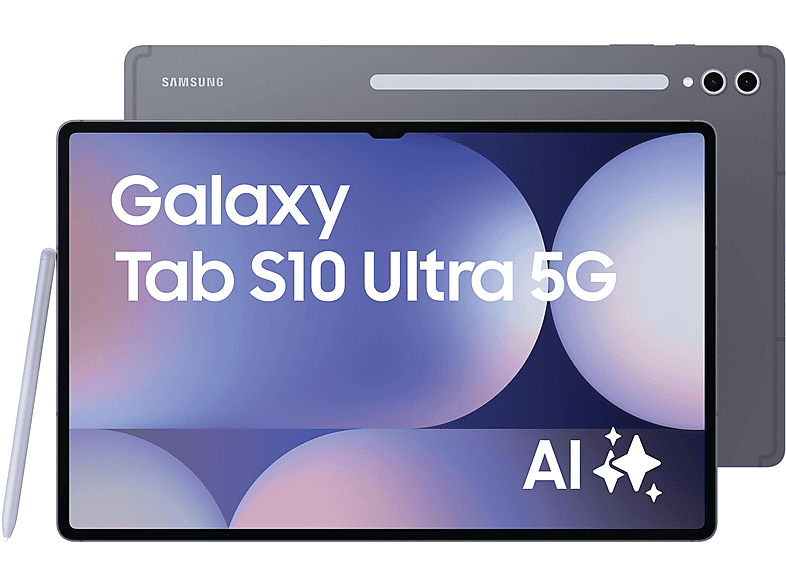
Samsung Galaxy Tab S10 Ultra (2026)
The Samsung Galaxy Tab S10 Ultra (2026) offers an expansive, immersive viewing experience with its enormous 14.6-inch Super AMOLED display and slim design. Powered by the latest Snapdragon 8 Gen 5 processor, it handles demanding tasks and multi-tasking with ease, making it a formidable Android powerhouse. This tablet is ideal for users seeking a large screen for entertainment, productivity, and digital art, rivaling laptop capabilities in a tablet form. Its included S Pen and robust DeX mode provide a versatile experience for both work and play.
Standout Feature
Massive 14.6-inch Super AMOLED screen
Pros
- Stunningly large and vibrant 14.6-inch Super AMOLED display
- Blazing-fast Snapdragon 8 Gen 5 performance
- Included S Pen for precise drawing and note-taking
- Excellent quad-speaker audio quality
- Samsung DeX offers a desktop-like productivity environment
Cons
- Large size can be less portable for some users
- Android tablet app ecosystem still lags behind iPadOS for certain professional apps
- High price point for a tablet
Who It's Best For
Users enjoy movies, TV shows, and games on the vast, beautiful display, making it a portable home theater.
Professionals use DeX mode with a keyboard cover to create documents, manage emails, and run multiple apps efficiently.
Students and professionals utilize the S Pen for detailed note-taking, sketching ideas, and annotating documents.
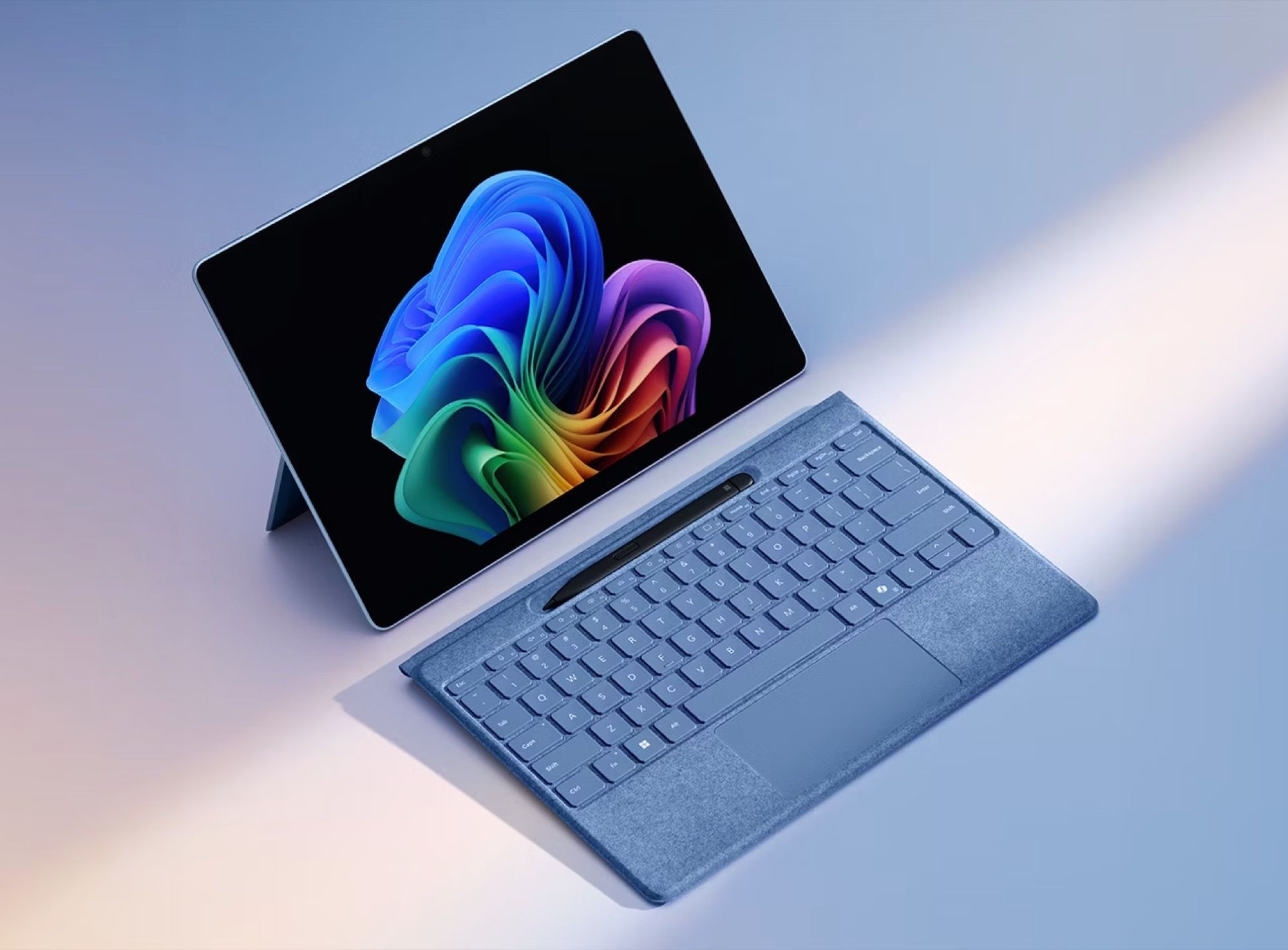
Microsoft Surface Pro 11 (2026)
The Microsoft Surface Pro 11 (2026) continues its legacy as the ultimate 2-in-1 device, seamlessly blending tablet portability with full Windows 11 desktop functionality. Equipped with the latest Intel Core Ultra 9 processor, it delivers powerful performance for demanding software and multitasking. Its sleek design, vibrant display, and optional Type Cover make it an excellent choice for professionals and students seeking a versatile computing solution. This device excels at bridging the gap between a laptop and a tablet, offering robust capabilities for productivity and creative tasks.
Standout Feature
Full Windows 11 in a tablet form factor
Pros
- Runs full Windows 11, enabling desktop-grade software
- Powerful Intel Core Ultra 9 processor for strong performance
- Excellent kickstand and detachable keyboard (Type Cover) for versatility
- High-resolution PixelSense display for sharp visuals
- Supports Surface Pen for precision input
Cons
- Type Cover and Surface Pen are often sold separately
- Battery life, while improved, can still be shorter than some dedicated tablets
- Tablet mode experience isn't as polished as iPadOS or Android for touch-first apps
Who It's Best For
Workers use it for on-the-go productivity, running essential business applications and collaborating in various environments.
Students leverage its versatility for note-taking with the pen, writing papers, and running specialized course software.
Professionals utilize it for graphic design, CAD work, and video editing with full desktop applications, making use of the pen for precision.

Apple iPad Air 7 (M3 Chip 2026)
The Apple iPad Air 7 (2026) brings significant power with the M3 chip, making it a compelling choice for users who need more than the base iPad but don't require the Pro's extreme capabilities. Its sleek, lightweight design combined with a vibrant Liquid Retina display makes it highly portable and enjoyable for both work and play. This device is ideal for students, creative enthusiasts, and anyone seeking a powerful yet accessible tablet experience. It offers a fantastic balance of performance, features, and price within the Apple ecosystem.
Standout Feature
Powerful M3 chip in a lightweight design
Pros
- Excellent M3 chip performance for demanding apps and gaming
- Thin and lightweight design, highly portable
- Vibrant Liquid Retina display with True Tone
- Supports Apple Pencil (2nd Gen) and Magic Keyboard
- Great battery life for all-day use
Cons
- Still uses an LCD panel instead of OLED found in Pro models
- Base storage options can be limited for some users
- Accessories significantly increase the overall cost
Who It's Best For
Students use it for taking notes, researching, creating presentations, and managing coursework with powerful apps.
Artists utilize it for digital sketching, painting, and graphic design with the Apple Pencil, benefiting from the M3's speed.
Users enjoy streaming movies, browsing the web, and playing games on a high-quality display with robust performance.
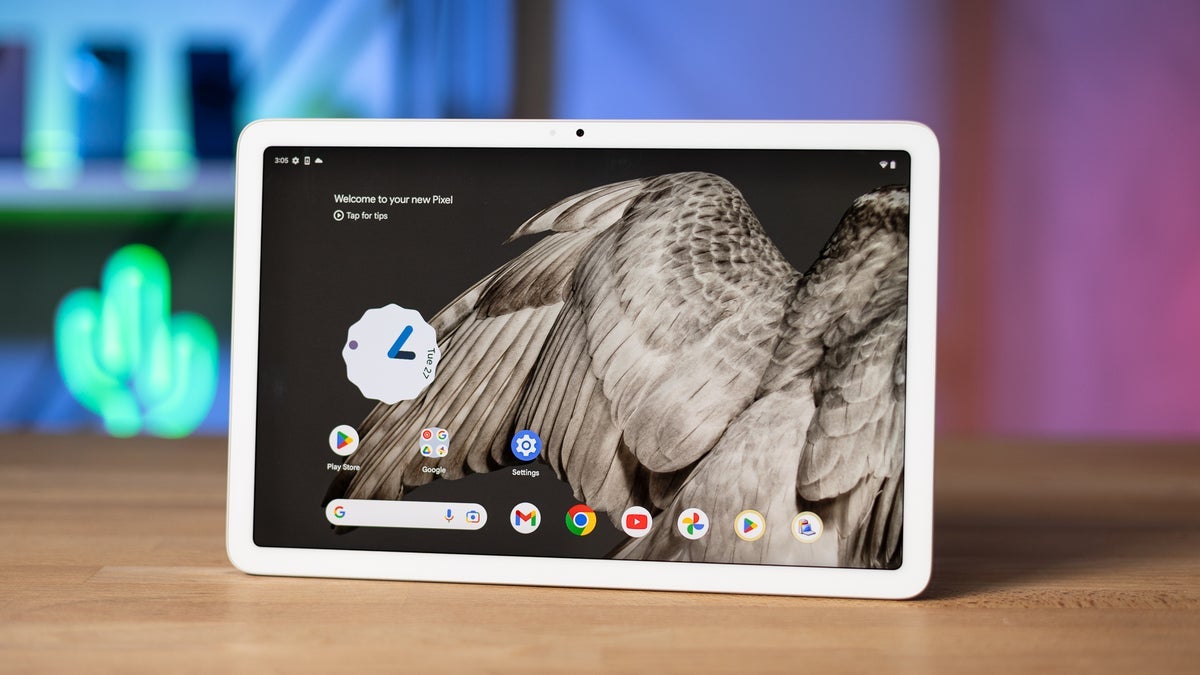
Google Pixel Tablet 2 (2026)
The Google Pixel Tablet 2 (2026) solidifies its unique position by integrating a smart home hub experience with a high-performance Android tablet. Featuring the new Tensor G5 chip, it offers seamless AI capabilities and a fluid Android experience, optimized for Google's ecosystem. Its included speaker dock transforms it into an excellent smart display, providing dual functionality for home and personal use. This tablet is ideal for Google ecosystem users, smart home enthusiasts, and those seeking a versatile device that bridges entertainment and utility.
Standout Feature
Integrated smart home hub experience
Pros
- Seamless integration with Google's smart home ecosystem via charging speaker dock
- Optimized Android experience with Google's Tensor G5 chip for AI features
- High-quality display for media consumption and browsing
- Solid build quality and unique design
- Long-term software support and timely updates from Google
Cons
- Speaker dock is great for home, but adds bulk to tablet portability
- Accessory ecosystem (stylus, keyboard) not as robust as competitors
- Pricier than some entry-level tablets without a significant productivity focus
Who It's Best For
Users dock the tablet to manage smart lights, thermostats, and security cameras, turning it into a central control panel.
Families use it for streaming videos, playing casual games, and video calls, with the dock providing enhanced audio.
Individuals leverage Google Assistant for voice commands, information retrieval, and setting reminders, both docked and undocked.
For this use case
Best Technology for Creative Professionals
- #3Microsoft Surface Pro 11 (2026)
Professionals utilize it for graphic design, CAD work, and video editing with full desktop applications, making use of the pen for precision
- #6Samsung Galaxy Tab S10+ (2026)
Artists and designers use the S Pen for detailed work, leveraging the tablet's power for demanding creative applications.
Samsung Galaxy Tab S10+ (2026)
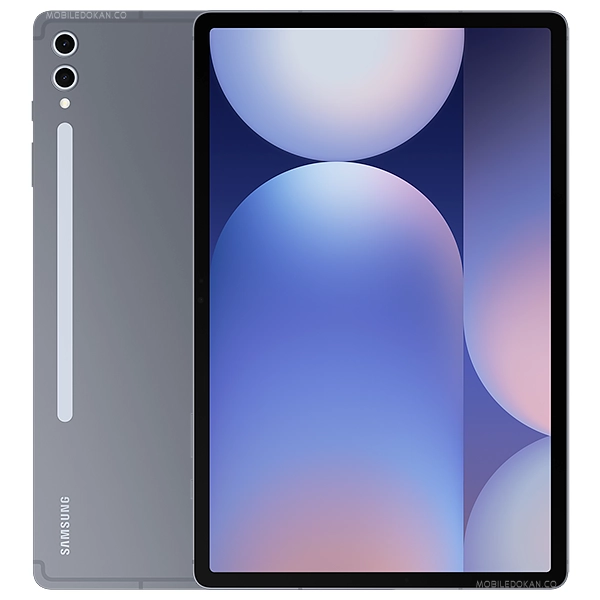
The Samsung Galaxy Tab S10+ (2026) hits a sweet spot between raw power and manageable size, featuring a stunning 12.4-inch Super AMOLED display. Equipped with the powerful Snapdragon 8 Gen 5 processor, it offers exceptional performance for gaming, multitasking, and creative work. It includes the S Pen, making it an excellent tool for productivity and digital art without the Ultra's larger footprint. This tablet is perfect for users who want premium features, a vibrant display, and a productive Android experience in a more portable package.
Standout Feature
Premium performance with a balanced size
Pros
- Gorgeous 12.4-inch Super AMOLED display with 120Hz refresh rate
- Powerful Snapdragon 8 Gen 5 processor for top-tier performance
- S Pen included for versatile input and creativity
- Excellent battery life and slim, elegant design
- Samsung DeX mode for a desktop-like experience
Cons
- Still a premium price, though less than the Ultra
- Android app ecosystem for professional tools can be limited
- Fingerprint sensor location might not be ideal for all users
Who It's Best For
Gamers enjoy high-fidelity titles with smooth frame rates and vibrant visuals on the large AMOLED display.
Artists and designers use the S Pen for detailed work, leveraging the tablet's power for demanding creative applications.
Users switch between apps and utilize DeX for efficient document creation, presentations, and communication.
Lenovo Tab P13 Pro (2026)
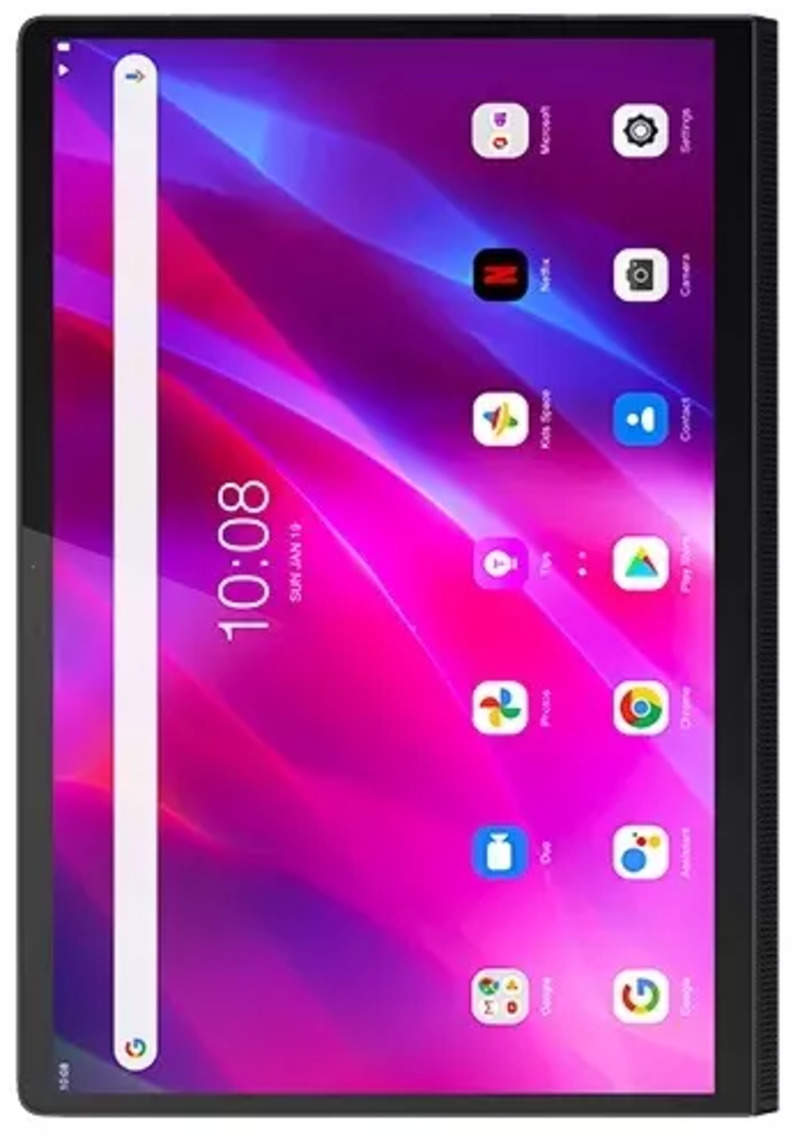
The Lenovo Tab P13 Pro (2026) stands out with its stunning 12.7-inch 3K OLED display, offering incredible contrast and color accuracy for media consumption and creative work. Powered by a MediaTek Dimensity 9000+ processor, it provides strong performance for most tasks and gaming. Its premium design and long battery life make it a great alternative for Android users seeking high-end features without the top-tier Samsung price. This tablet is an excellent choice for entertainment buffs and those needing a large, beautiful screen for productivity.
Standout Feature
Stunning 12.7-inch 3K OLED display
Pros
- Gorgeous 3K OLED display with exceptional colors and contrast
- Strong performance from MediaTek Dimensity 9000+ processor
- Excellent quad JBL speaker system with Dolby Atmos
- Premium metal design and slim profile
- Good battery life for extended use
Cons
- Software updates might not be as frequent as Google or Samsung
- Accessory ecosystem (stylus, keyboard) is proprietary and less diverse
- Still runs Android, which has app scaling challenges on large screens
Who It's Best For
Users watch films and TV shows on the vibrant OLED screen, enjoying an immersive cinematic experience with rich audio.
Gamers play graphically intensive games, benefiting from the powerful processor and high-refresh-rate display.
Readers enjoy books and magazines on the high-resolution display, which is easy on the eyes.
Apple iPad 12th Gen (2026)
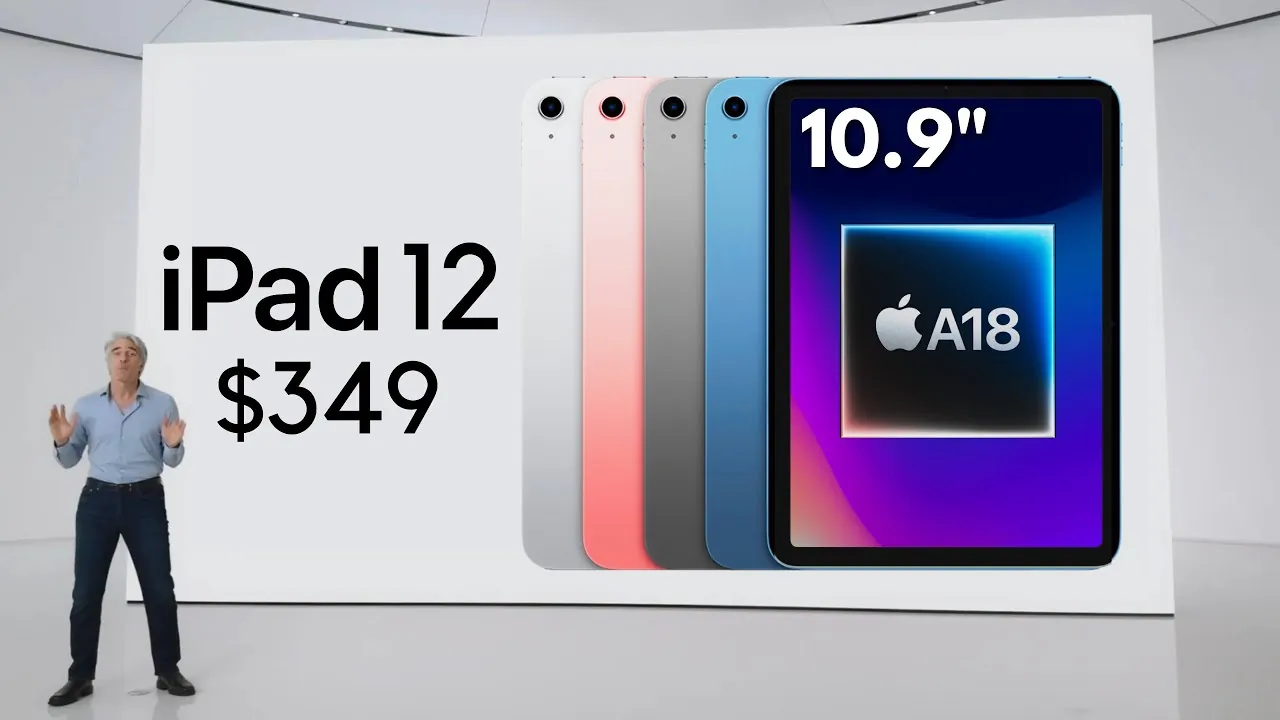
The Apple iPad 12th Gen (2026) remains the benchmark for entry-level tablets, offering remarkable value and a robust feature set. Powered by the A17 Bionic chip, it provides snappy performance for everyday tasks, light gaming, and creative pursuits. Its 10.9-inch Liquid Retina display and support for the Apple Pencil (1st Gen) and Magic Keyboard Folio make it incredibly versatile. This iPad is ideal for students, families, and casual users seeking a reliable, user-friendly, and capable tablet without breaking the bank.
Standout Feature
Exceptional value and seamless ecosystem
Pros
- Excellent A17 Bionic chip performance for its price point
- Vibrant 10.9-inch Liquid Retina display
- Robust and user-friendly iPadOS ecosystem with extensive app library
- Solid battery life for all-day usage
- Supports Apple Pencil (1st Gen) and Magic Keyboard Folio
Cons
- Still uses Lightning port, while other iPads have moved to USB-C
- Thicker bezels compared to Air/Pro models
- Base storage of 64GB can be limiting for some users
Who It's Best For
Families use it for shared media consumption, educational games for kids, and video calls with relatives.
Students utilize it for online learning, homework, research, and creative projects with educational apps.
Users enjoy web browsing, social media, and email management on a larger screen than a smartphone.

Amazon Fire Max 13 (2026)
The Amazon Fire Max 13 (2026) delivers an impressive large-screen experience at an incredibly accessible price point, making it a standout in the budget category. With its 13-inch display and improved octa-core processor, it offers ample space and power for media consumption, light productivity, and Amazon ecosystem services. This tablet is best suited for Prime members, budget-conscious users, and families looking for an affordable device primarily for entertainment and basic tasks. Its integration with Alexa and Amazon content is a significant draw.
Standout Feature
Affordable large-screen Amazon ecosystem
Pros
- Exceptionally affordable for a 13-inch tablet
- Large, bright display ideal for video streaming and reading
- Deep integration with Amazon Prime services and Alexa
- Solid build quality for its price range
- Decent battery life for extended entertainment
Cons
- Fire OS is highly customized Android, limiting Google Play Store access (sideloading possible)
- Performance is adequate for basic tasks but struggles with demanding apps
- Cameras are mediocre at best
Who It's Best For
Users stream movies and TV shows from Amazon Prime Video and other services on the large, clear display.
Readers enjoy Kindle books and magazines, benefiting from the large screen real estate for immersive reading.
Parents use it for educational apps and child-friendly content, often with Amazon Kids+ subscription.
Samsung Galaxy Tab A10 (2026)
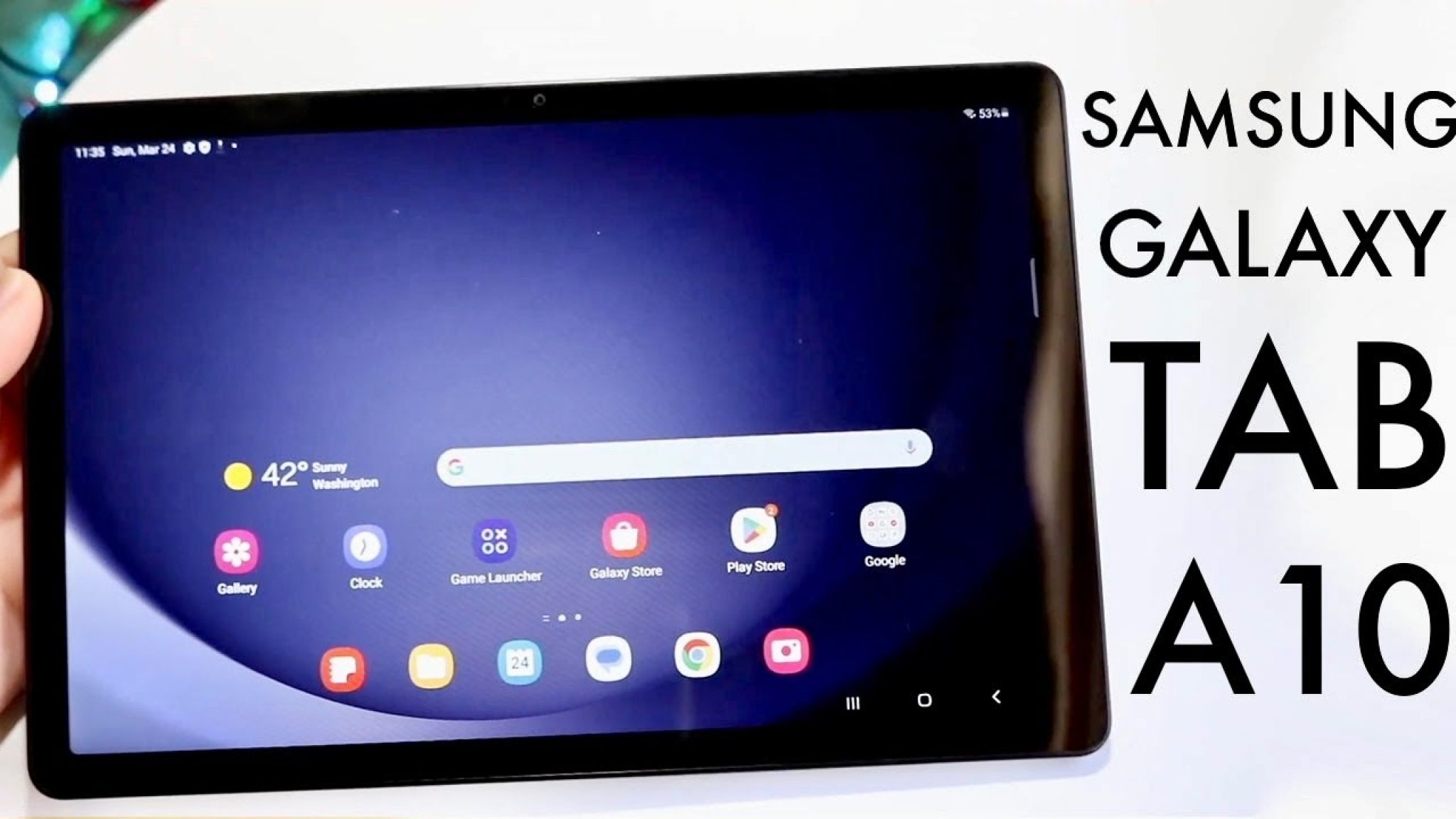
The Samsung Galaxy Tab A10 (2026) offers a compelling blend of features and affordability, making it an excellent mid-range Android tablet for everyday use. Its 10.5-inch display is perfect for browsing, streaming, and light gaming, while the Snapdragon 6 Gen 2 processor ensures smooth performance for typical tasks. With Samsung's One UI, it provides a user-friendly experience and good software support. This tablet is ideal for families, casual users, and anyone needing a reliable Android tablet for media consumption and general productivity without a premium price tag.
Standout Feature
Balanced features for everyday Android use
Pros
- Vibrant 10.5-inch LCD display suitable for multimedia
- Reliable Snapdragon 6 Gen 2 processor for smooth everyday performance
- Samsung One UI offers a clean and intuitive Android experience
- Good battery life for extended use throughout the day
- Affordable price point for a reputable brand
Cons
- Limited RAM might lead to occasional slowdowns with heavy multitasking
- No S Pen support or advanced productivity features
- Build materials are predominantly plastic, though solid
Who It's Best For
Users stream movies, listen to music, and browse social media, utilizing its display and speakers for home entertainment.
Students and children use it for online learning platforms, interactive educational apps, and reading digital textbooks.
Families connect with friends and relatives through video calls, benefiting from the larger screen for group viewing.
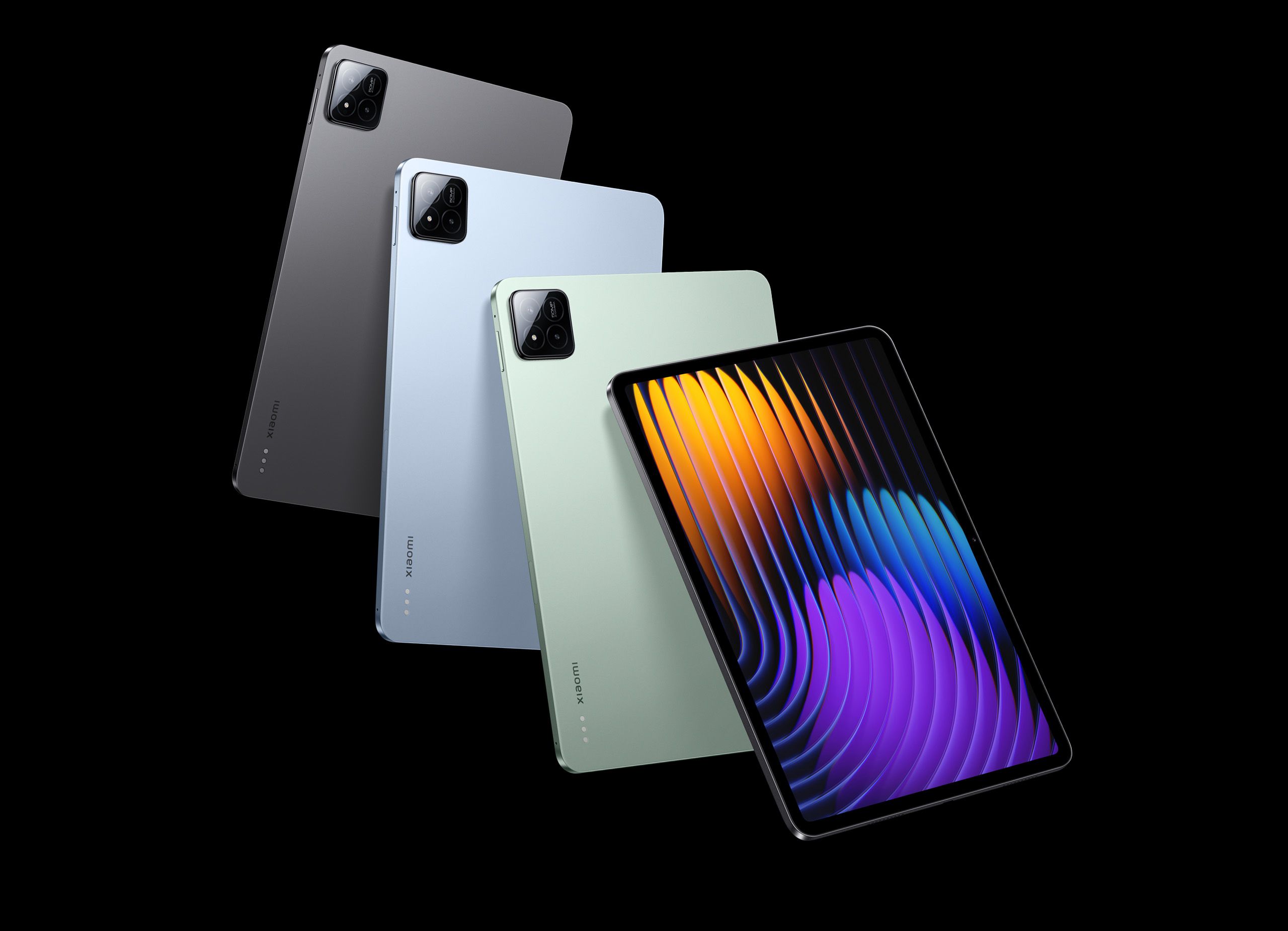
Xiaomi Pad 7 Pro (2026)
The Xiaomi Pad 7 Pro (2026) offers a compelling high-performance Android tablet experience at a more competitive price point than its premium rivals. It boasts a sharp, fluid display and a powerful flagship-grade processor, delivering excellent performance for gaming and demanding applications. Xiaomi's HyperOS provides a customized, feature-rich Android experience with good multitasking capabilities. This tablet is an ideal choice for tech enthusiasts and users seeking high specs and value in an Android tablet.
Standout Feature
High refresh-rate display and powerful processor
Pros
- High-resolution display with smooth 144Hz refresh rate
- Powerful flagship-tier processor for gaming and demanding apps
- Fast charging capabilities
- Premium design with thin bezels
- Customized HyperOS with useful productivity features
Cons
- Software updates can be inconsistent compared to Google/Samsung
- Accessory availability might be limited in some regions
- No official IP rating for water/dust resistance
Who It's Best For
Gamers experience fluid gameplay and stunning graphics in high-demand titles, benefiting from the powerful chip and display.
Professionals use its multitasking features and optional keyboard for document editing and email management.
Artists find it a capable platform for digital sketching and drawing with a compatible stylus, offering great value.
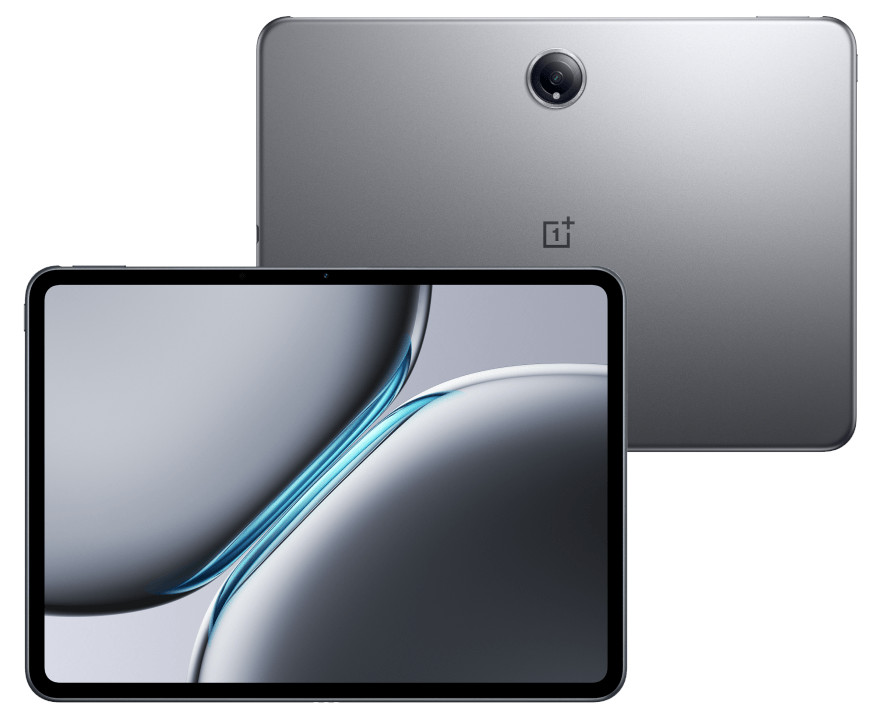
OnePlus Pad 2 (2026)
The OnePlus Pad 2 (2026) builds on its predecessor's success, offering a premium design and a unique aspect ratio that makes it excellent for both productivity and media. It features a high-refresh-rate display and a powerful processor for smooth performance across tasks. OnePlus's OxygenOS provides a clean, fast Android experience with thoughtful features. This tablet is best suited for users already in the OnePlus ecosystem or those seeking a stylish, performant Android tablet with a focus on a fluid user experience.
Standout Feature
Unique aspect ratio and smooth OxygenOS
Pros
- Smooth 144Hz display with a unique 7:5 aspect ratio ideal for reading and productivity
- Strong performance from a high-end MediaTek Dimensity chip
- Clean and fast OxygenOS experience with minimal bloatware
- Premium aluminum unibody design
- Excellent battery life with fast charging
Cons
- Limited availability of official accessories
- No biometric face unlock, only fingerprint sensor
- Still a relatively new player in the tablet market
Who It's Best For
Users leverage the unique aspect ratio for split-screen multitasking and document viewing, maximizing screen real estate.
Consumers enjoy streaming video and reading on the vibrant, high-refresh-rate display.
Users already owning OnePlus phones benefit from seamless connectivity and feature integration.
For this use case
Best Technology for Family Entertainment
- #5Google Pixel Tablet 2 (2026)
Families use it for streaming videos, playing casual games, and video calls, with the dock providing enhanced audio.
- #8Apple iPad 12th Gen (2026)
Families use it for shared media consumption, educational games for kids, and video calls with relatives.

Microsoft Surface Go 5 (2026)
The Microsoft Surface Go 5 (2026) offers the full Windows 11 experience in a highly portable and affordable package, making it an excellent choice for on-the-go productivity. It features improved performance with a new Intel N-series processor, better battery life, and the same versatile design with a built-in kickstand. This device is best for students, mobile professionals, and users needing a lightweight Windows machine for basic computing tasks, email, and web browsing. It truly shines as a secondary or travel device.
Standout Feature
Ultra-portable full Windows 11 experience
Pros
- Full Windows 11 in a very compact and lightweight form factor
- Excellent build quality and versatile kickstand
- Improved performance with the new Intel N-series processor
- Good battery life for a Windows device
- Supports Surface Pen and Type Cover for enhanced functionality
Cons
- Type Cover and Surface Pen are separate purchases, increasing cost
- Performance is suitable for basic tasks, not demanding software
- Screen bezels are still relatively thick
Who It's Best For
Travelers use it as a lightweight laptop replacement for emails, document editing, and light entertainment on the go.
Professionals needing a portable Windows device for data entry, presentations, and client interactions find it ideal.
Students use it for essays, research, and accessing learning platforms, benefiting from the full Windows OS.
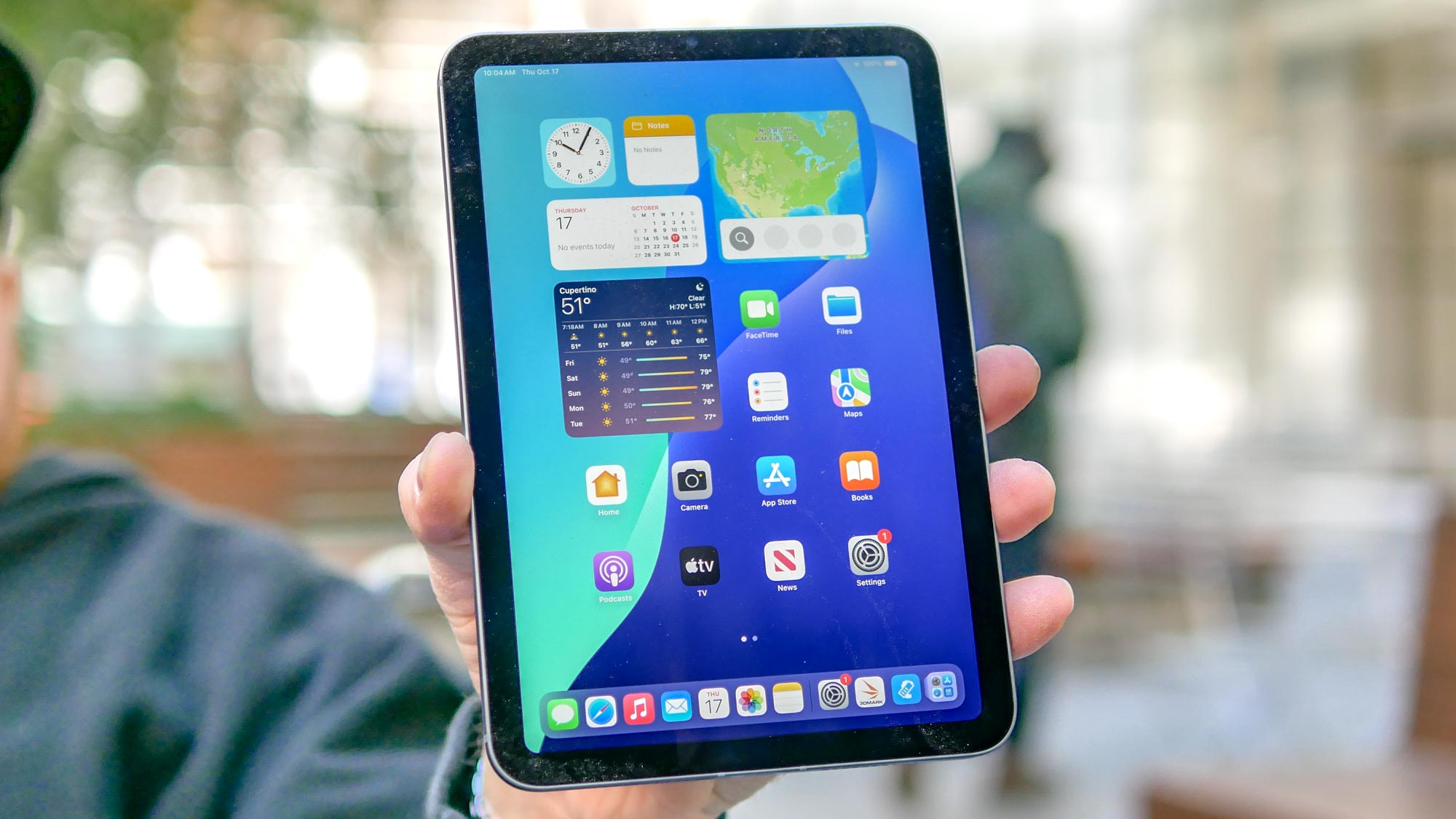
Apple iPad Mini 7 (2026)
The Apple iPad Mini 7 (2026) continues to be the ultimate small tablet, packing serious power into an incredibly portable form factor. With the A17 Bionic chip, it delivers exceptional performance for gaming, creative apps, and everyday tasks. Its compact 8.3-inch Liquid Retina display is perfect for reading, single-handed use, and on-the-go productivity. This device is best for users prioritizing portability, avid readers, and those who want an extremely capable tablet that fits anywhere.
Standout Feature
Unmatched power in a mini form factor
Pros
- Incredibly compact and lightweight design for ultimate portability
- Powerful A17 Bionic chip delivers excellent performance
- Vibrant 8.3-inch Liquid Retina display
- Supports Apple Pencil (2nd Gen) for note-taking and sketching
- Long battery life for its size
Cons
- Higher price compared to other small tablets
- Smaller screen less ideal for extensive multitasking or large documents
- No Magic Keyboard Folio support, only Smart Folio
Who It's Best For
Readers use it as a premium e-reader, enjoying books and magazines on the compact, high-resolution screen.
Gamers play high-performance titles, benefiting from the powerful chip and comfortable hand-held size.
Travelers carry it easily for entertainment, navigation, and quick tasks, fitting into any bag or even a large pocket.
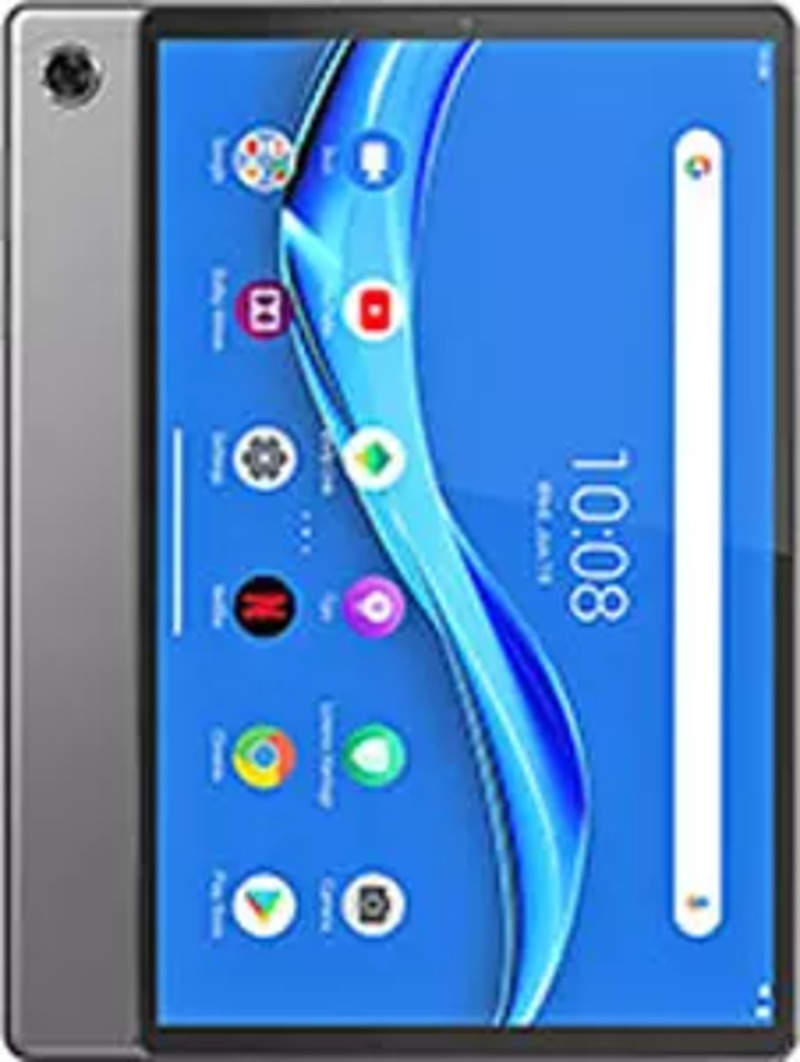
Lenovo Tab M12 Plus (2026)
The Lenovo Tab M12 Plus (2026) is a strong contender in the budget-friendly tablet market, offering a solid 10.4-inch display and reliable performance for daily tasks. With an upgraded processor and improved battery life, it provides a smooth user experience for browsing, streaming, and casual gaming. Its clean Android interface and decent build quality make it a practical choice for families and students. This tablet is an excellent value proposition for essential tablet functions without unnecessary frills.
Standout Feature
Great value for everyday family use
Pros
- Affordable price point for a reputable brand
- Clear 10.4-inch display suitable for media consumption
- Decent performance for everyday tasks and light gaming
- Good battery life to last through the day
- Relatively clean Android experience with minimal bloatware
Cons
- Camera quality is basic and not suitable for serious photography
- Software updates can be slow or infrequent
- Performance may struggle with very demanding applications
Who It's Best For
Families use it for shared games, educational apps for children, and video calls with grandparents.
Users browse the internet, check emails, and scroll social media from the comfort of their couch.
Consumers watch YouTube, Netflix, and other streaming services on its clear display.

TCL Tab 12 Pro (2026)
The TCL Tab 12 Pro (2026) offers a surprisingly robust feature set for its price, centered around a large and vibrant display. With improved processing power and TCL's NXTVISION display enhancement technology, it delivers a superior visual experience for media and light productivity. Its sleek design and competitive price make it an attractive option for users seeking a large Android tablet on a budget. This tablet is ideal for entertainment enthusiasts and casual users who want a big screen without spending a fortune.
Standout Feature
Large, enhanced NXTVISION display
Pros
- Large, vibrant display with TCL NXTVISION enhancement for better visuals
- Competitive pricing for a tablet of its size
- Decent performance for media consumption and light multitasking
- Good battery life for extended viewing sessions
- Sleek and modern design for a budget tablet
Cons
- Camera quality is basic and not a strong point
- Software updates may be less consistent than major brands
- Accessory ecosystem is limited
Who It's Best For
Users stream high-definition content from various services, benefiting from the large and enhanced display.
Readers enjoy digital magazines and comics on the spacious screen, making text and images easy to view.
Gamers play less demanding mobile games, appreciating the larger screen for immersive gameplay.
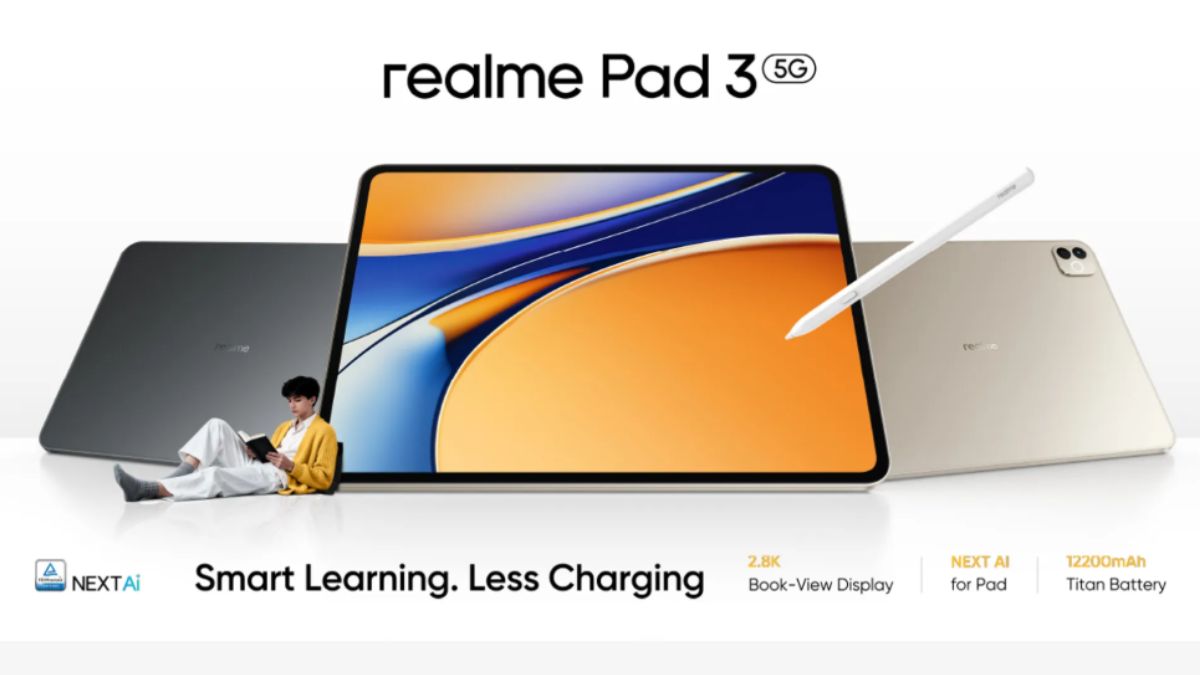
Realme Pad 3 (2026)
The Realme Pad 3 (2026) aims to disrupt the budget tablet market by offering a sleek design, decent performance, and an appealing display for its price. With an upgraded chipset and optimized software, it provides a smooth experience for everyday tasks, media consumption, and casual gaming. Realme UI for Pad offers a clean Android experience with useful features. This tablet is an excellent choice for users on a strict budget who still want a modern and capable Android tablet from a reputable emerging brand.
Standout Feature
Stylish design and solid performance for the price
Pros
- Attractive slim design with a premium feel for its price
- Bright and clear display for media and browsing
- Improved performance from updated MediaTek processor
- Long-lasting battery life for all-day use
- Clean Realme UI for Pad based on Android
Cons
- Camera performance is subpar
- Limited ecosystem of first-party accessories
- Software updates might be less frequent than tier-one brands
Who It's Best For
Users browse the web, check social media, and read news articles efficiently on a comfortable screen.
Students use it for attending virtual classes, accessing learning materials, and light productivity tasks.
Individuals connect with family and friends through video calls, utilizing the front camera for basic communication.
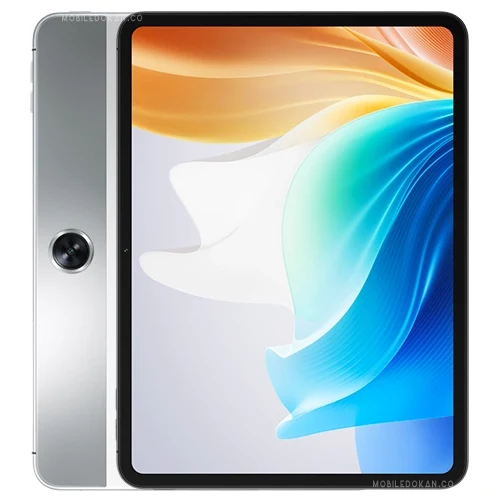
Oppo Pad Air 2 (2026)
The Oppo Pad Air 2 (2026) offers a compelling blend of premium aesthetics and solid mid-range performance, making it a stylish choice in the affordable tablet segment. Its lightweight design and high-resolution display make it comfortable for extended use, while its processor handles daily tasks with ease. Oppo's ColorOS for Pad provides a feature-rich Android experience with good multitasking capabilities. This tablet is ideal for users seeking a sleek, portable tablet for everyday entertainment and light productivity.
Standout Feature
Sleek, lightweight design with vibrant display
Pros
- Extremely lightweight and thin design, making it highly portable
- Vibrant high-resolution display for enjoyable media consumption
- Reliable performance for everyday apps and casual gaming
- ColorOS for Pad offers useful multitasking features
- Good battery life and decent speakers
Cons
- No cellular option in most markets
- Camera quality is modest
- Not designed for heavy-duty gaming or professional applications
Who It's Best For
Commuters use it to read e-books, watch shows, and browse news during their daily travels, appreciating its portability.
Users engage with social media platforms, watch short videos, and communicate with friends and family.
Individuals handle emails, manage calendars, and do light document editing, benefiting from the larger screen.
For this use case
Best Technology for Mobile Gamers
- #6Samsung Galaxy Tab S10+ (2026)
Gamers enjoy high-fidelity titles with smooth frame rates and vibrant visuals on the large AMOLED display.
- #7Lenovo Tab P13 Pro (2026)
Gamers play graphically intensive games, benefiting from the powerful processor and high-refresh-rate display.
- #11Xiaomi Pad 7 Pro (2026)
Gamers experience fluid gameplay and stunning graphics in high-demand titles, benefiting from the powerful chip and display.

Amazon Fire HD 10 (2026)
The Amazon Fire HD 10 (2026) continues its reign as the go-to budget tablet for media consumption within the Amazon ecosystem. With a full HD display and improved quad-core processor, it offers a solid experience for streaming, browsing, and casual apps. Its deep integration with Alexa and Amazon services makes it incredibly user-friendly for Prime members. This tablet is best suited for families, kids, and anyone seeking an affordable, durable device primarily for entertainment and basic tasks.
Standout Feature
Ultra-affordable Full HD media tablet
Pros
- Extremely affordable price point for a 10-inch Full HD display
- Deep integration with Amazon services like Prime Video, Kindle, and Audible
- Durable build quality, often with kid-friendly versions available
- Hands-free Alexa functionality
- Good battery life for media consumption
Cons
- Fire OS heavily limits access to Google Play Store and services
- Performance is adequate for basic tasks but can be slow for demanding apps
- Display quality is good for the price, but not exceptional
Who It's Best For
Parents provide it to children for educational games, e-books, and streaming child-friendly content via Amazon Kids+.
Users watch movies and TV shows from various streaming platforms, enjoying the Full HD display.
Individuals use it for recipes, streaming music, and setting timers via Alexa while cooking.
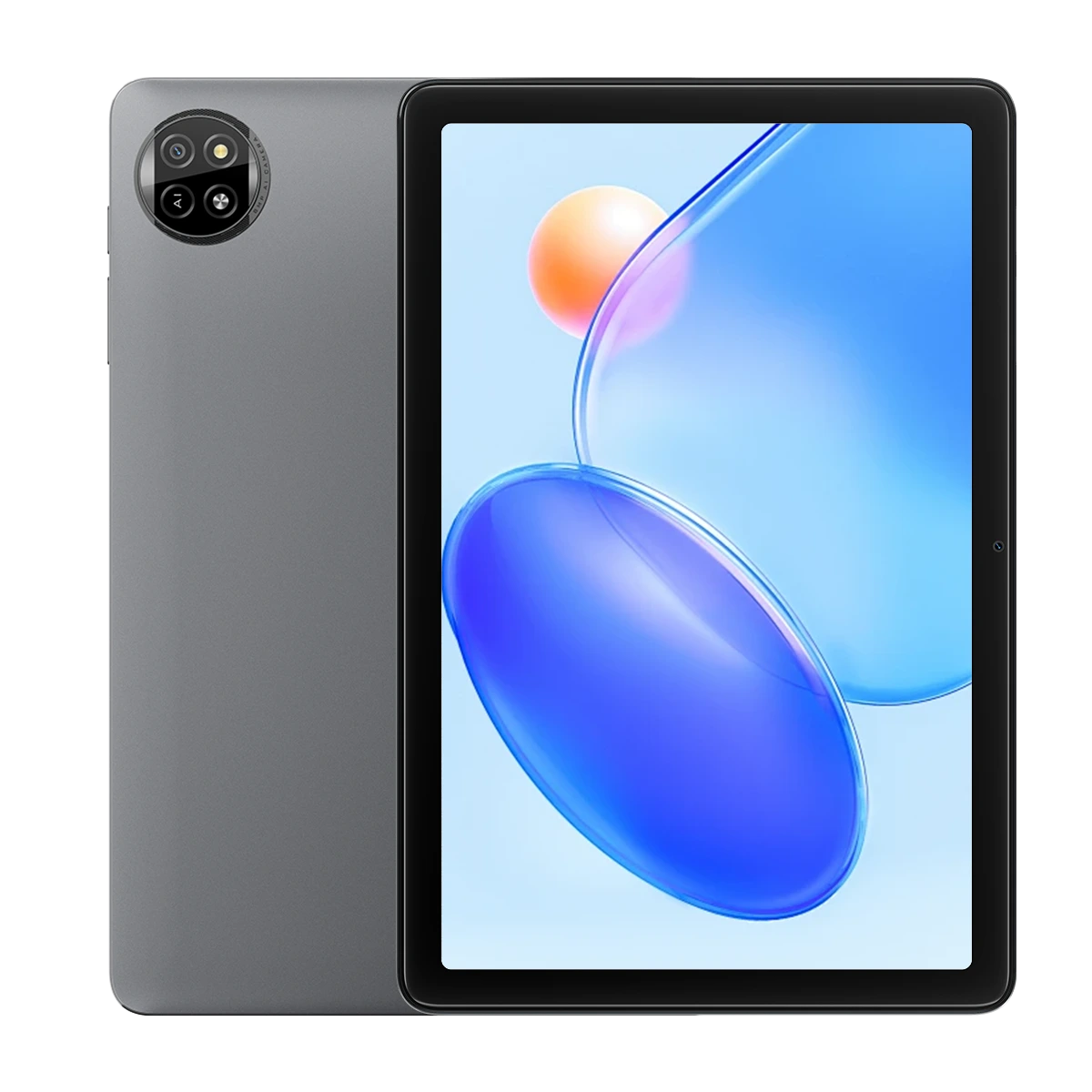
Blackview Tab 20 (2026)
The Blackview Tab 20 (2026) targets the ultra-budget segment, offering a large display and essential tablet functionalities at a remarkably low price. With an updated entry-level processor and an Android Go edition, it provides a basic yet functional experience for web browsing, social media, and light applications. Its primary appeal lies in its affordability and suitability for users needing a very inexpensive secondary device. This tablet is best for those on an extremely tight budget or as a disposable device for specific, undemanding tasks.
Standout Feature
Extreme budget large-screen tablet
Pros
- Extremely low price point, making it highly accessible
- Large display for basic content consumption
- Comes with essential Android features
- Often includes generous battery capacity for extended use
- Suitable as a secondary or disposable device
Cons
- Performance is basic and will struggle with most apps
- Display quality and resolution are lower than competitors
- Camera quality is very poor
- Software updates are likely to be infrequent or non-existent
Who It's Best For
Users access websites, read online news, and check emails without expecting high performance.
Readers use it for reading basic e-books or text-heavy documents.
Parents provide it as a very inexpensive first tablet for young children, mitigating loss or damage concerns.
Quick Comparison
Quick Feature Comparison
| Product | Price | Display Size | Processor | RAM | Battery Life |
|---|---|---|---|---|---|
| ★iPad Pro 13 (M5) | ★$1199+ | 13-inch | ★Apple M5 | 8-16GB | 10-12 hrs |
| Galaxy Tab S10 Ultra | $1099+ | ★14.6-inch | Snapdragon 8 Gen 5 | ★12-16GB | ★12-14 hrs |
| Surface Pro 11 | $999+ | 13-inch | Intel Core Ultra 9 | 8-32GB | 9-11 hrs |
| iPad Air 7 (M3) | $699+ | 11/13-inch | Apple M3 | 8GB | 10-11 hrs |
| Pixel Tablet 2 | $499+ | 10.95-inch | Tensor G5 | 8GB | 10 hrs |
| Galaxy Tab S10+ | $899+ | 12.4-inch | Snapdragon 8 Gen 5 | 8-12GB | 11-13 hrs |
| Lenovo Tab P13 Pro | $649+ | 12.7-inch | MediaTek Dimensity 9000+ | 8-12GB | 10-12 hrs |
| iPad 12th Gen | $379+ | 10.9-inch | A17 Bionic | 4GB | 10 hrs |
| Fire Max 13 | ★$229+ | 13-inch | Octa-core 2.4GHz | 6GB | 12 hrs |
| Galaxy Tab A10 | $299+ | 10.5-inch | Snapdragon 6 Gen 2 | 4GB | 11 hrs |
Read before you buy
Buying Guide
What to look for in a technology
Focus on the features that actually match how you'll use it day-to-day. Compare core specs, real-world performance from owner reviews, and whether the warranty/support reflects long-term confidence — not just sticker price. The picks above are ranked with that hierarchy in mind.
Price vs performance
Mid-tier options often deliver 80% of the performance of premium models for half the price. Splurge on the high-end pick only when a specific feature in the upper tier solves a problem the budget pick can't. Stretch the budget when reliability or longevity matters most.
Common mistakes to avoid
Don't pay for features you'll never use, and don't sacrifice durability for a small price difference. The cheapest option rarely wins long-term value, but the most expensive isn't always worth the premium either — let the use case drive the choice.
Keep exploring