
20 Best Ultrawide Monitors in 2026
Discover the ultimate guide to the best ultrawide monitors of 2026, meticulously curated for gamers, productivity enthusiasts, and creative professionals alike. Our expert picks feature cutting-edge displays with stunning resolutions, lightning-fast refresh rates, and vibrant color accuracy, ensuring an immersive visual experience. From sprawling 49-inch curved titans to sleek 34-inch QD-OLED powerhouses, this list highlights top-tier options that redefine desktop computing, offering unparalleled multitasking capabilities and breathtaking entertainment. Find your perfect ultrawide upgrade to elevate your digital workspace and play in 2026.
Skip ahead
Best by Use Case
Four picks for four buyers — each with a quick rationale and a direct CTA.
Top-ranked across performance, value, and reliability. Ultimate immersive gaming & multitasking. Standout: Dual UHD 57-inch Mini-LED Display. Unprecedented 57-inch Dual UHD resolution (7680x2160)
Strong fit when this use case is your priority. Premium immersive gaming. Standout: Vibrant QD-OLED Infinite Contrast. Stunning QD-OLED panel with infinite contrast and true blacks
Lowest sticker price in our top picks without giving up the essentials. Maximum screen for minimum cost. Standout: Ultra-Budget Large Screen Ultrawide. One of the most affordable 35-inch 1440p ultrawides on the market
Highest-end choice for buyers who'll get use out of every dollar. Professional productivity and content creation. Standout: 40-inch 5K2K IPS Black Productivity Hub. Stunning 40-inch 5K2K (5120x2160) resolution for immense workspace
Editorial methodology
How We Chose
Picks were ranked by combining hands-on feature analysis, owner-review sentiment from across the web, brand reliability and warranty quality, and price-to-value vs. alternatives in the same tier. We weight long-term durability and real-world performance over spec-sheet hype, and re-evaluate the list periodically as new models ship and prices shift.
The Top 20 In Detail
Also Browse

Samsung Odyssey Neo G9 G95NC (57-inch)
The Samsung Odyssey Neo G9 G95NC stands as the reigning monarch of ultrawide monitors, offering an expansive 57-inch Mini-LED display with a groundbreaking 7680x2160 'Dual UHD' resolution. This colossal monitor is perfect for serious sim racers, hardcore gamers, and power users who demand the absolute maximum screen real estate and visual fidelity. Its innovative Mini-LED backlighting provides incredible contrast and HDR performance, far surpassing traditional VA panels. The sheer size and pixel density of the G95NC offer an unmatched immersive experience, solidifying its top rank for pushing the boundaries of display technology in 2026.
Standout Feature
Dual UHD 57-inch Mini-LED Display
Pros
- Unprecedented 57-inch Dual UHD resolution (7680x2160)
- Mini-LED FALD with 2,392 local dimming zones for incredible HDR
- 240Hz refresh rate with 1ms GTG response time for fluid gameplay
- Extreme 1000R curvature enhances immersion
- Picture-by-Picture and Picture-in-Picture modes for versatility
Cons
- Extremely high price point
- Requires powerful GPU to drive at native resolution/refresh rate
- Physical size and weight require a robust desk setup
Who It's Best For
Experience unparalleled field of view and immersion in racing and flight simulators with the massive curved screen.
Enjoy competitive gaming with a wide FOV and buttery-smooth visuals, perfect for strategy games and immersive RPGs.
Replace multiple monitors with one colossal screen, ideal for coding, data analysis, and professional content creation.

Alienware AW3423DWF (34-inch QD-OLED)
The Alienware AW3423DWF continues to set the standard for premium gaming ultrawides, featuring a stunning 34-inch QD-OLED panel that delivers vibrant colors, infinite contrast, and lightning-fast response times. Its quantum dot layer enhances color volume and brightness compared to traditional OLEDs, making HDR content truly pop. Designed with gamers in mind, it boasts a high refresh rate and G-Sync Ultimate compatibility for tear-free gameplay. The AW3423DWF offers an exquisite balance of visual fidelity and gaming performance, making it a perennial favorite for those seeking the best immersive experience without the extreme cost or size of a 49-inch display.
Standout Feature
Vibrant QD-OLED Infinite Contrast
Pros
- Stunning QD-OLED panel with infinite contrast and true blacks
- Exceptional color volume and accuracy for HDR content
- Near-instantaneous 0.1ms GTG response time eliminates ghosting
- 165Hz refresh rate with FreeSync Premium Pro and G-Sync Compatible
- Sleek, minimalist design with good build quality
Cons
- Potential for OLED burn-in over long-term static image use
- Brightness can be limited in full-screen white scenes
- Text fringing due to sub-pixel layout is noticeable to some
Who It's Best For
Experience fast-paced action and visually rich narratives with incredible fidelity and responsiveness.
Enjoy cinematic content with true blacks, vibrant colors, and impressive HDR performance.
Benefit from excellent color accuracy and contrast for photo editing or casual video work.
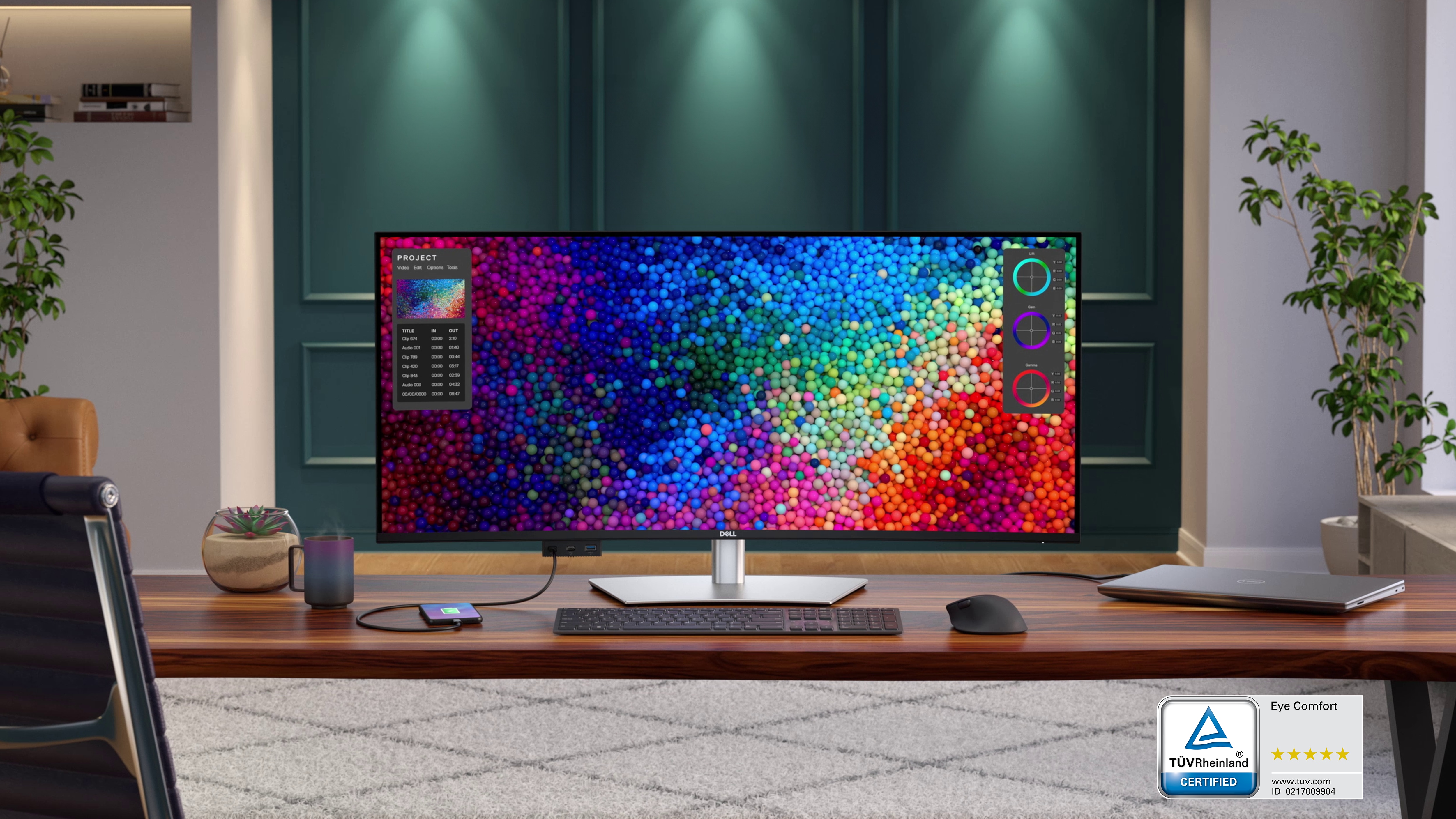
Dell UltraSharp U4025QW (40-inch 5K2K IPS Black)
The Dell UltraSharp U4025QW is the ultimate productivity and professional ultrawide monitor for 2026, featuring a vast 40-inch 5K2K (5120x2160) IPS Black panel. This monitor offers an enormous canvas for multitasking, boasting superior contrast ratios compared to standard IPS, ensuring deeper blacks and richer visuals. Its comprehensive connectivity, including Thunderbolt 4, makes it a powerful hub for professional workstations. Designed for graphic designers, video editors, and power users, the U4025QW provides unparalleled clarity, color accuracy, and screen real estate for demanding professional applications, justifying its top-tier position for productivity.
Standout Feature
40-inch 5K2K IPS Black Productivity Hub
Pros
- Stunning 40-inch 5K2K (5120x2160) resolution for immense workspace
- IPS Black panel technology delivers superior contrast ratios (2000:1)
- Comprehensive Thunderbolt 4 connectivity with 140W power delivery
- Excellent color accuracy with 99% DCI-P3 and 99% Display P3 coverage
- Built-in KVM switch and robust ergonomic stand
Cons
- High price point for professional users
- 72Hz refresh rate is not ideal for high-frame-rate gaming
- Slight light bleed can be present in very dark scenes
Who It's Best For
Utilize the expansive, color-accurate screen for intricate design work and large video timelines.
Manage multiple code windows, terminals, and datasets simultaneously with superior clarity.
Enhance multitasking efficiency by replacing a dual-monitor setup with a single, seamless display.

LG UltraGear 45GR95QE-B (45-inch OLED)
The LG UltraGear 45GR95QE-B delivers an expansive and highly immersive gaming experience with its large 45-inch 3440x1440 OLED panel and aggressive 800R curve. This monitor is engineered for serious gamers, offering an ultra-fast 240Hz refresh rate and a near-instant 0.03ms response time, crucial for competitive play. The OLED technology ensures perfect blacks and vibrant colors, making games incredibly lifelike, while the sheer size and curve pull you deeper into the action. It's a fantastic choice for those who crave a truly cinematic and responsive gaming display in 2026.
Standout Feature
45-inch 240Hz OLED Extreme Curve
Pros
- Large 45-inch OLED panel provides incredible immersion
- Blazing-fast 240Hz refresh rate and 0.03ms GTG response time
- Perfect blacks and infinite contrast from OLED technology
- Aggressive 800R curve wraps the action around you
- Excellent for HDR gaming and cinematic content
Cons
- Lower pixel density (84 PPI) than smaller 3440x1440 ultrawides
- Risk of OLED burn-in with static UI elements
- Some users may find the 800R curve too aggressive for productivity
Who It's Best For
Gain a competitive edge with ultra-high refresh rates and near-instantaneous response times on an immersive screen.
Dive deep into expansive game worlds with stunning visuals and an engulfing curved display.
Enjoy movies and streaming content with true blacks and vibrant colors for a cinematic experience.

ASUS ROG Swift PG34WCDM (34-inch OLED)
The ASUS ROG Swift PG34WCDM is a premium 34-inch ultrawide OLED gaming monitor that combines top-tier performance with stunning visuals. Boasting a 240Hz refresh rate, 0.03ms response time, and native 3440x1440 resolution, it delivers an incredibly smooth and vibrant gaming experience. Its OLED panel provides true blacks and exceptional contrast, further enhanced by HDR capabilities. With its integrated KVM switch and robust connectivity, this monitor is not just a gaming powerhouse but also a versatile option for power users, solidifying its position among the best for those who demand uncompromising quality in 2026.
Standout Feature
240Hz QD-OLED Gaming Prowess
Pros
- Superb 34-inch QD-OLED panel with perfect blacks and infinite contrast
- Blazing-fast 240Hz refresh rate and 0.03ms GTG response time
- Excellent HDR performance with peak brightness up to 1300 nits
- Integrated KVM switch and USB-C with 90W power delivery
- Advanced cooling solution for enhanced OLED longevity
Cons
- Premium price point similar to other high-end OLEDs
- Risk of OLED burn-in over extended use with static elements
- Subtle text fringing due to sub-pixel layout (common for QD-OLED)
Who It's Best For
Experience lag-free, high-fidelity gaming with exceptional responsiveness and visual clarity.
Leverage the KVM switch and vibrant display for a streamlined setup while enjoying media creation.
Watch cinematic content with breathtaking contrast and colors, thanks to its superior HDR capabilities.

Samsung Odyssey G8 OLED G85SB (34-inch QD-OLED)
The Samsung Odyssey G8 OLED (G85SB) presents a sleek, premium design paired with the stunning visuals of a 34-inch QD-OLED panel. Offering a 175Hz refresh rate and a near-instant 0.03ms response time, it delivers a phenomenal gaming and entertainment experience with infinite contrast and vibrant color. Its ultra-slim profile and smart TV features, including built-in streaming apps, make it a versatile display for both PC gaming and living room entertainment. For users seeking a stylish, high-performance ultrawide that doubles as a smart entertainment hub, the G8 OLED is a top contender in 2026.
Standout Feature
Sleek QD-OLED with Smart TV Features
Pros
- Gorgeous QD-OLED panel for perfect blacks and vibrant colors
- Ultra-slim design with premium build quality
- Integrated Smart TV features (Netflix, YouTube, etc.) and Gaming Hub
- 175Hz refresh rate and 0.03ms response time for smooth gaming
- USB-C connectivity with power delivery
Cons
- No HDMI 2.1 ports, only Mini HDMI 2.1 and Mini DisplayPort 1.4
- Still susceptible to potential OLED burn-in
- Matte coating might slightly dull OLED vibrancy compared to glossy
Who It's Best For
Enjoy high-fidelity gaming and easily switch to watching content without needing a separate TV or device.
Benefit from a beautiful display for productivity and unwind with built-in entertainment options after work.
Appreciate its minimalist, high-end aesthetic that blends seamlessly into modern living spaces.

Acer Predator X34 GS (34-inch IPS)
The Acer Predator X34 GS is a robust 34-inch ultrawide gaming monitor that perfectly balances performance and value for non-OLED enthusiasts. It features a fast IPS panel delivering a 180Hz refresh rate (overclocked) and 0.5ms response time (GtG Min), ensuring crisp, fluid motion without sacrificing color accuracy. With VESA DisplayHDR 400 certification and wide color gamut support, it offers a vibrant visual experience. This monitor remains a highly competitive choice in 2026 for gamers and content creators seeking a reliable, high-performance ultrawide without the premium price tag or burn-in concerns of OLED.
Standout Feature
High-Refresh IPS Gaming Value
Pros
- Fast 180Hz (OC) IPS panel for excellent motion handling and color
- 0.5ms GTG response time (Min) for competitive gaming
- VESA DisplayHDR 400 certification for improved contrast and brightness
- Ergonomic stand with tilt, swivel, and height adjustments
- Wide color gamut with 98% DCI-P3 coverage
Cons
- IPS glow can be noticeable in dark environments
- HDR performance is entry-level compared to OLED or Mini-LED
- Curvature is less immersive than more aggressive designs
Who It's Best For
Enjoy smooth, vibrant gaming across a wide range of genres with excellent responsiveness.
Benefit from good color accuracy and a spacious screen for design projects without breaking the bank.
Use it for both productivity tasks during the day and immersive gaming in the evenings.

LG UltraWide 40WP95C-W (40-inch 5K2K IPS)
The LG UltraWide 40WP95C-W continues to be a formidable option for professionals in 2026, offering a large 40-inch 5K2K (5120x2160) IPS display that provides immense screen real estate and sharp image clarity. Its excellent color accuracy and comprehensive connectivity, including Thunderbolt 4, make it a powerhouse for creative work and advanced multitasking. While not as high-contrast as IPS Black, its standard IPS panel still delivers wide viewing angles and consistent color. This monitor is a strong choice for users prioritizing vast workspace and robust workstation integration.
Standout Feature
40-inch 5K2K Professional Workspace
Pros
- Expansive 40-inch 5K2K (5120x2160) resolution for superb detail
- Excellent color accuracy with 98% DCI-P3 coverage
- Thunderbolt 4 connectivity with 96W power delivery and daisy-chaining
- Comfortable 2500R curvature for immersive viewing
- Integrated KVM switch enhances multi-device productivity
Cons
- Standard IPS contrast ratio isn't as deep as IPS Black or OLED
- 72Hz refresh rate is limited for gaming
- No local dimming for improved HDR performance
Who It's Best For
View complex blueprints and 3D models with incredible detail and a vast working area.
Manage extensive audio timelines and multiple VST plugins with ease on a single screen.
Display large spreadsheets and dashboards without constant scrolling or switching windows.

Gigabyte M34WQ (34-inch IPS)
The Gigabyte M34WQ stands out as an exceptional value proposition in the ultrawide market for 2026, offering a 34-inch 3440x1440 IPS panel with a 144Hz refresh rate. It delivers a sharp image, good color accuracy, and smooth motion, making it a strong contender for both gaming and productivity without breaking the bank. Its integrated KVM switch is a particularly useful feature for users with multiple computers, enhancing its appeal as a versatile workstation monitor. For those seeking a well-rounded ultrawide experience at an affordable price, the M34WQ is a top recommendation.
Standout Feature
Affordable IPS Gaming & Productivity
Pros
- Excellent price-to-performance ratio for an IPS ultrawide
- Sharp 3440x1440 resolution and vibrant IPS colors
- Responsive 144Hz refresh rate for smooth gaming
- Built-in KVM switch is highly convenient for multi-PC setups
- Flat panel is preferred by some for productivity and reduces distortion
Cons
- HDR performance is minimal and not a standout feature
- Standard IPS contrast ratio is average
- Stand ergonomics are good but could be more premium
Who It's Best For
Enjoy a smooth and immersive gaming experience without the premium price of OLEDs or higher-end IPS models.
Connect both a work laptop and personal desktop, switching seamlessly with the KVM function.
Maximize screen space for web browsing, document editing, and casual media consumption.

HP E45c G5 (44.5-inch VA)
The HP E45c G5 is a business-focused ultrawide monitor offering an expansive 44.5-inch 5120x1440 VA panel, making it an excellent single-monitor solution for productivity. Its large screen effectively replaces two QHD monitors, providing ample space for numerous applications side-by-side. With a 165Hz refresh rate and a KVM switch, it offers a surprisingly capable blend of work and some casual gaming. For professionals needing a massive display with strong connectivity and practical features, the E45c G5 provides substantial value and efficiency in 2026.
Standout Feature
Massive Business Productivity Hub
Pros
- Very large 44.5-inch 5120x1440 screen for maximum workspace
- Integrated KVM switch for controlling multiple devices
- USB-C with 65W power delivery for laptop charging and video
- Respectable 165Hz refresh rate suitable for casual gaming
- Excellent ergonomic stand with full adjustability
Cons
- VA panel has typical viewing angle limitations and some black smearing
- HDR support is basic to non-existent
- Pixel density is lower than smaller 1440p ultrawides
Who It's Best For
Streamline complex workflows and manage multiple documents, spreadsheets, and communication apps simultaneously.
Monitor servers, write code, and run virtual machines on a single, expansive display.
Effortlessly switch between a work laptop and a desktop PC using the integrated KVM functionality.
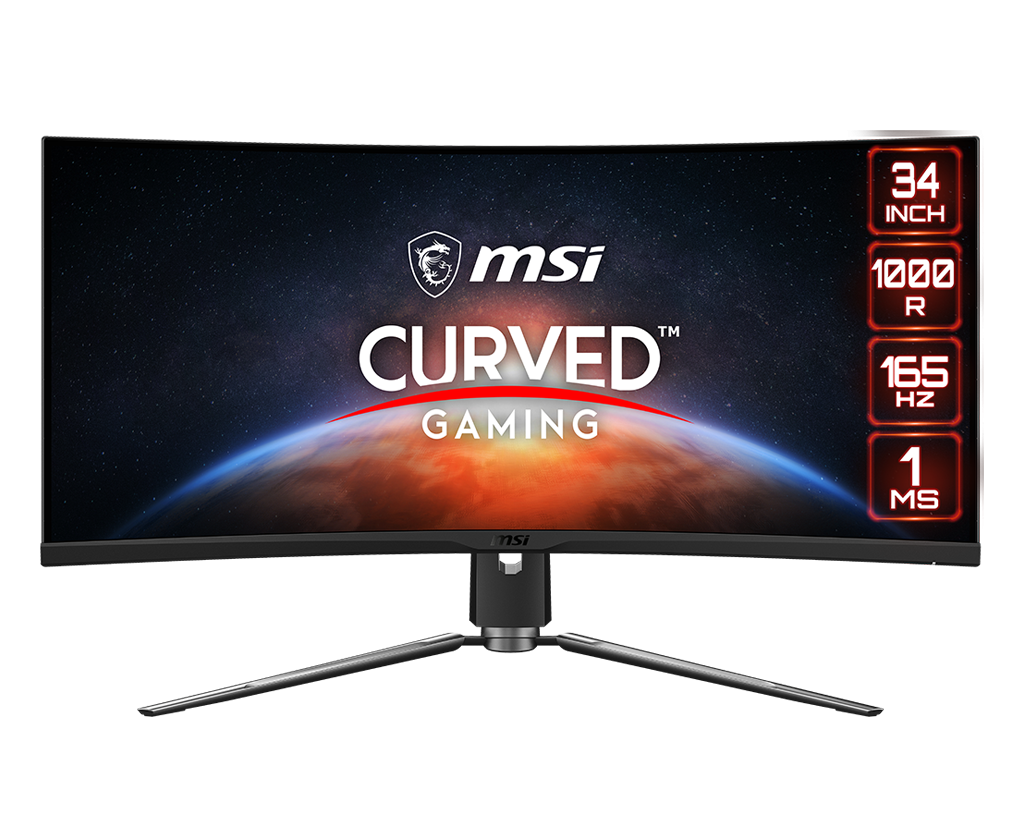
MSI MPG ARTYMIS 343CQR (34-inch VA)
The MSI MPG ARTYMIS 343CQR is a strong contender for gamers who prefer VA panel technology for its deep blacks and contrast, without the premium cost of OLED. This 34-inch 3440x1440 ultrawide monitor offers a smooth 144Hz refresh rate and 1ms (MPRT) response time, providing a highly immersive gaming experience, especially for darker scenes and atmospheric titles. Its ergonomic design and Mystic Light RGB integration add to its appeal as a dedicated gaming display. For a solid, feature-rich gaming ultrawide in 2026, the ARTYMIS 343CQR delivers great value.
Standout Feature
Curved VA Gaming with Deep Blacks
Pros
- Excellent native contrast ratio for deep blacks on its VA panel
- 144Hz refresh rate and 1ms MPRT for fluid gaming visuals
- Integrated Mystic Light RGB customization for gaming setups
- Ergonomic stand with height, tilt, and swivel adjustments
- Offers a comfortable 1000R curvature for immersion
Cons
- VA panel viewing angles are narrower than IPS
- Some ghosting/black smearing can occur in fast-moving dark scenes
- HDR performance is limited by edge-lit backlighting
Who It's Best For
Experience atmospheric titles with rich, deep blacks that enhance immersion.
Enjoy responsive gameplay in non-esports titles where VA characteristics are less critical.
Benefit from the high contrast ratio for a more cinematic viewing experience.

Philips Brilliance 499P9H (49-inch VA)
The Philips Brilliance 499P9H offers an expansive 49-inch 32:9 SuperWide VA panel, effectively acting as two QHD monitors side-by-side without a bezel. It's a powerhouse for productivity, featuring a built-in USB-C docking station, a pop-up webcam for security and convenience, and an integrated KVM switch. While its refresh rate is moderate, its focus on extensive screen real estate and workstation integration makes it a highly attractive option for serious multitaskers. This monitor continues to be a go-to choice for enterprise and advanced home office users in 2026 seeking to maximize their digital workspace.
Standout Feature
49-inch SuperWide Productivity Hub
Pros
- Massive 49-inch 32:9 screen replaces a dual-monitor setup seamlessly
- Built-in USB-C docking station with power delivery and Ethernet
- Pop-up webcam with Windows Hello facial recognition for security
- Integrated KVM switch for multi-device control
- Comfortable 1800R curvature for immersive viewing
Cons
- 70Hz refresh rate is not suitable for serious gaming
- VA panel has typical viewing angle limitations and minor ghosting
- HDR performance is rudimentary (DisplayHDR 400)
Who It's Best For
Monitor multiple stock charts, news feeds, and trading platforms simultaneously on one screen.
Have code editors, documentation, and debuggers open side-by-side with no bezel interruptions.
Participate in video conferences via the webcam while having ample space for notes and shared documents.

Dell S3422DWG (34-inch VA)
The Dell S3422DWG offers an excellent balance of features and affordability for gamers and everyday users in 2026. This 34-inch 3440x1440 curved VA panel delivers a smooth 144Hz refresh rate and a respectable 1ms (MPRT) response time, making it a strong performer for immersive gaming. Its high native contrast ratio ensures deeper blacks and more vibrant visuals compared to typical IPS displays, particularly beneficial for media consumption. For a budget-conscious buyer looking for a solid gaming ultrawide with good visual performance, the S3422DWG is a superb value choice.
Standout Feature
Value Gaming with High Contrast
Pros
- Highly affordable for a 34-inch 1440p 144Hz ultrawide
- High native contrast ratio on VA panel for deep blacks
- Smooth 144Hz refresh rate and 1ms MPRT response time
- Comfortable 1800R curvature for immersion
- Good color accuracy for the price point
Cons
- Typical VA viewing angle limitations and some black smearing
- Entry-level HDR performance (DisplayHDR 400)
- Stand only offers tilt and height adjustment, no swivel
Who It's Best For
Experience immersive ultrawide gaming at 144Hz without a significant financial investment.
Enjoy movies and streaming content with better black levels than typical IPS panels.
Get a large, versatile display for both studying and entertainment on a student budget.

AOC CU34G2SP (34-inch VA)
The AOC CU34G2SP provides an incredibly budget-friendly entry point into ultrawide gaming for 2026, offering a 34-inch 3440x1440 VA panel with a 165Hz refresh rate. It delivers a surprisingly smooth gaming experience for its price, complete with AMD FreeSync Premium for tear-free visuals. While not the brightest or most color-accurate, its high contrast and immersive curvature make it an attractive option for gamers on a tight budget. For those prioritizing a wide, fast display over premium features, the CU34G2SP is an undeniable value king.
Standout Feature
Ultra-Budget 165Hz Curved Gaming
Pros
- Extremely affordable for a 34-inch 1440p 165Hz ultrawide
- High refresh rate and decent response time for gaming
- Good native contrast ratio from VA panel for deeper blacks
- Comfortable 1500R curvature for immersion
- FreeSync Premium support for tear-free gaming
Cons
- Color accuracy and brightness are average
- Typical VA viewing angle and ghosting issues
- Basic stand ergonomics (tilt only)
Who It's Best For
Experience the benefits of ultrawide gaming without a significant upfront investment.
Get a high refresh rate and wide FOV for competitive play in less demanding titles.
Enjoy an expansive screen for everyday tasks and casual movie watching.

BenQ EX3415R MOBIUZ (34-inch IPS)
The BenQ EX3415R MOBIUZ is a 34-inch 3440x1440 IPS ultrawide monitor designed for both immersive gaming and multimedia consumption. With a 144Hz refresh rate, 1ms MPRT response time, and FreeSync Premium, it provides smooth and responsive gameplay. Its standout feature is BenQ's TreVolo speakers, offering superior audio quality for a monitor, eliminating the need for external speakers for many users. The monitor's excellent color accuracy and HDRi technology also enhance cinematic viewing, making it a compelling choice for those seeking an all-in-one entertainment solution in 2026.
Standout Feature
Gaming & Entertainment with Superb Audio
Pros
- Exceptional built-in TreVolo speakers for immersive audio
- Vibrant IPS panel with excellent color accuracy and wide viewing angles
- 144Hz refresh rate and 1ms MPRT for smooth gaming
- BenQ's HDRi technology enhances HDR content dynamically
- Ergonomic stand with height, tilt, and swivel adjustments
Cons
- HDR performance is software-enhanced rather than true HDR
- Contrast ratio is typical for IPS, not as deep as VA or OLED
- The curvature is less aggressive than some gaming-focused ultrawides
Who It's Best For
Enjoy immersive gaming with quality visuals and surprisingly good integrated sound.
Watch films and listen to music with clarity, reducing the need for separate audio equipment.
Ideal for smaller spaces where external speakers are impractical or unwanted.

LG UltraWide 34WP65C-B (34-inch VA)
The LG UltraWide 34WP65C-B is a practical and affordable 34-inch 3440x1440 ultrawide monitor for both productivity and light gaming in 2026. Its VA panel provides a good native contrast ratio, offering deeper blacks than comparable IPS models, making it suitable for content consumption and general use. With a 160Hz refresh rate and AMD FreeSync, it handles gaming smoothly. This monitor strikes a great balance for users who need expansive screen real estate for work and enjoy casual gaming or movies, all within a reasonable budget.
Standout Feature
Versatile Budget Productivity & Gaming
Pros
- Affordable price for a 34-inch 1440p 160Hz ultrawide
- Good native contrast ratio from VA panel for deep blacks
- Smooth 160Hz refresh rate with FreeSync support for gaming
- Decent color accuracy for everyday tasks and media
- Comfortable 1800R curvature
Cons
- Typical VA viewing angle limitations and some black smearing
- Basic stand with only tilt adjustment
- Entry-level HDR (DisplayHDR 400) provides minimal impact
Who It's Best For
Perfect for managing multiple applications, web browsing, and enjoying casual entertainment.
Provides ample screen space for basic video editing or graphic design tasks.
Enhance productivity with more screen real estate for documents and research.

INNOCN 40C1R (40-inch 5K2K IPS)
The INNOCN 40C1R offers an enticingly affordable entry into the 40-inch 5K2K ultrawide market for 2026, making high-resolution productivity accessible to more users. With its expansive IPS panel, it delivers crisp text and ample workspace, rivaling premium professional monitors at a fraction of the cost. While it may not match the advanced features or build quality of top-tier brands, its core offering of a massive 5120x2160 display with good color reproduction is highly compelling. It's an excellent choice for budget-conscious professionals or enthusiasts who prioritize sheer screen size and pixel count.
Standout Feature
Affordable 40-inch 5K2K IPS
Pros
- Significantly more affordable than comparable 40-inch 5K2K monitors
- Vast 40-inch 5120x2160 IPS display for immense workspace
- Good color accuracy (95% DCI-P3) for professional tasks
- USB-C connectivity with 90W power delivery
- Built-in KVM switch enhances multi-device productivity
Cons
- Lower refresh rate (60Hz) not suitable for gaming
- Build quality and OSD controls may not feel as premium as top brands
- No advanced HDR support
Who It's Best For
Utilize the large, high-resolution screen for video editing timelines and graphic design projects on a budget.
Replace a multi-monitor setup with a single, expansive display for improved workflow.
Display multiple code windows and documentation simultaneously with crisp text.

Cooler Master GM34-CWQ2 (34-inch VA)
The Cooler Master GM34-CWQ2 is a solid mid-range ultrawide gaming monitor for 2026, offering a curved 34-inch 3440x1440 VA panel with a strong 180Hz refresh rate. Designed with gamers in mind, it provides smooth motion and good response times, coupled with a high native contrast ratio for immersive visuals, especially in darker games. Its competitive pricing and robust feature set make it a compelling choice for gamers who want a performance-oriented display without venturing into the premium OLED territory.
Standout Feature
High-Refresh Curved VA Gaming
Pros
- Fast 180Hz refresh rate for very smooth gameplay
- High native contrast ratio on VA panel for deep blacks
- 1ms MPRT response time reduces motion blur
- Comfortable 1500R curvature enhances immersion
- Good color gamut for a VA panel (90% DCI-P3)
Cons
- Typical VA viewing angle and black smearing characteristics
- Basic HDR performance (DisplayHDR 400)
- Stand ergonomics are good but lack swivel adjustment
Who It's Best For
Enjoy fast-paced games and visually rich worlds with smooth motion and deep contrast.
Utilize the wide view for streaming while benefiting from solid gaming performance.
Watch movies and shows with enhanced contrast and a cinematic aspect ratio.

ViewSonic VP3881 (38-inch IPS)
The ViewSonic VP3881 is a professional-grade 38-inch 3840x1600 ultrawide IPS monitor, ideal for creative professionals and power users in 2026 who need a blend of expansive screen space and color accuracy. Its WQHD+ resolution offers a significant step up from standard 1440p, providing more vertical screen real estate, which is crucial for timelines and extensive documents. With factory calibration and a focus on color performance, it's perfect for tasks where precision matters. This monitor is a strong alternative to 40-inch 5K2K displays for those who find them too expensive but still need a large, accurate panel.
Standout Feature
38-inch WQHD+ Creative Professional
Pros
- Large 38-inch 3840x1600 resolution for excellent workspace
- Factory calibrated IPS panel for superb color accuracy (Delta E<2)
- USB-C connectivity with power delivery
- Comprehensive ergonomic stand with full adjustability
- Comfortable 2300R curvature for reduced eye strain
Cons
- 60Hz refresh rate is not suitable for gaming
- Standard IPS contrast ratio, not as deep as VA or OLED
- No advanced HDR capabilities
Who It's Best For
Manage long video timelines with ease and view high-resolution footage on an accurate display.
Work on detailed designs and illustrations with precise color representation and ample space.
View complex models and schematics in high detail across an expansive workspace.
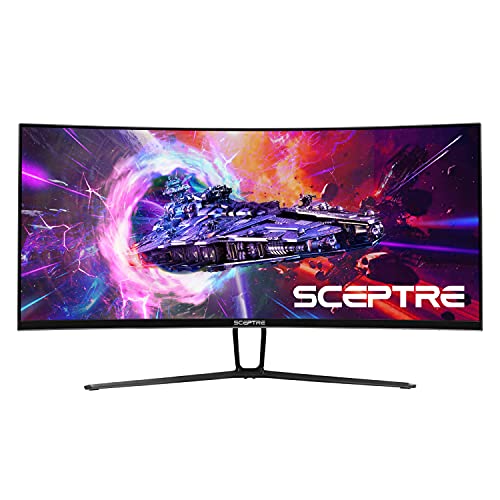
Sceptre C355W-3440UN (35-inch VA)
The Sceptre C355W-3440UN offers an incredibly accessible entry into the ultrawide world for 2026, providing a 35-inch 3440x1440 VA panel at an ultra-budget price. While it may not boast top-tier specs, its 100Hz refresh rate and immersive 1800R curve deliver a noticeable upgrade over standard 60Hz displays for both work and casual gaming. For users seeking the biggest screen possible for the least amount of money, to enhance basic productivity or casual entertainment, the Sceptre C355W-3440UN delivers exceptional value and screen real estate.
Standout Feature
Ultra-Budget Large Screen Ultrawide
Pros
- One of the most affordable 35-inch 1440p ultrawides on the market
- 100Hz refresh rate is a significant upgrade over 60Hz for smoothness
- Large 35-inch screen offers impressive immersion for the price
- High native contrast ratio from VA panel for deeper blacks
- 1800R curvature for a comfortable viewing experience
Cons
- Limited stand ergonomics (tilt only)
- Color accuracy is average and not suitable for professional creative work
- Typical VA viewing angle limitations and ghosting
Who It's Best For
Obtain an expansive ultrawide display for general computing, web browsing, and casual media.
Upgrade from a single small monitor to a vast workspace for document management and video calls.
Enjoy a cinematic aspect ratio with improved immersion for entertainment without a large investment.
Quick Comparison
Quick Feature Comparison
| Product | Price | Screen Size | Resolution | Refresh Rate | Panel Type | HDR Support |
|---|---|---|---|---|---|---|
| ★Samsung Neo G9 G95NC | ★$1800 - $2200 | ★57-inch | ★7680x2160 | 240Hz | Mini-LED VA | DisplayHDR 1000 |
| Alienware AW3423DWF | $800 - $1000 | 34-inch | 3440x1440 | 165Hz | ★QD-OLED | DisplayHDR 400 True Black |
| Dell UltraSharp U4025QW | $1600 - $1900 | 40-inch | 5120x2160 | 120Hz | IPS Black | DisplayHDR 600 |
| LG UltraGear 45GR95QE-B | $1200 - $1400 | 45-inch | 3440x1440 | ★240Hz | OLED | DisplayHDR 10 |
| ASUS ROG Swift PG34WCDM | $1200 - $1400 | 34-inch | 3440x1440 | 240Hz | OLED | DisplayHDR 400 True Black |
| Samsung Odyssey G8 G85SB | $900 - $1100 | 34-inch | 3440x1440 | 175Hz | QD-OLED | DisplayHDR 400 True Black |
| Acer Predator X34 GS | $600 - $800 | 34-inch | 3440x1440 | 180Hz | IPS | DisplayHDR 400 |
| LG UltraWide 40WP95C-W | $1400 - $1600 | 40-inch | 5120x2160 | 72Hz | IPS | DisplayHDR 10 |
| Gigabyte M34WQ | ★$400 - $550 | 34-inch | 3440x1440 | 144Hz | IPS | None |
| HP E45c G5 | $800 - $1000 | 44.5-inch | 5120x1440 | 165Hz | VA | None |
Read before you buy
Buying Guide
What to look for in a technology
Focus on the features that actually match how you'll use it day-to-day. Compare core specs, real-world performance from owner reviews, and whether the warranty/support reflects long-term confidence — not just sticker price. The picks above are ranked with that hierarchy in mind.
Price vs performance
Mid-tier options often deliver 80% of the performance of premium models for half the price. Splurge on the high-end pick only when a specific feature in the upper tier solves a problem the budget pick can't. Stretch the budget when reliability or longevity matters most.
Common mistakes to avoid
Don't pay for features you'll never use, and don't sacrifice durability for a small price difference. The cheapest option rarely wins long-term value, but the most expensive isn't always worth the premium either — let the use case drive the choice.
Frequently Asked Questions
What is an ultrawide monitor and why should I consider one in 2026?
An ultrawide monitor is a display with an aspect ratio wider than the standard 16:9, commonly 21:9 or 32:9. In 2026, they offer significantly more horizontal screen real estate, allowing for enhanced multitasking by displaying multiple applications side-by-side without bezels, and providing a more immersive experience for gaming and cinematic content. Modern ultrawides also feature advanced panel technologies like QD-OLED and Mini-LED, higher refresh rates, and improved resolution, making them a powerful upgrade for any setup.
What are the main benefits of using an ultrawide monitor for gaming in 2026?
For gamers in 2026, ultrawide monitors offer an unparalleled immersive experience by filling more of your peripheral vision, especially with curved displays. They provide an expanded field of view in many games, giving a tactical advantage or simply a more epic perspective. With advancements in OLED and high refresh rate IPS/VA panels, coupled with adaptive sync technologies like FreeSync and G-Sync, ultrawides deliver incredibly smooth, tear-free, and visually stunning gameplay that traditional 16:9 monitors can't match.
Are ultrawide monitors good for productivity and professional work in 2026?
Absolutely. In 2026, ultrawide monitors, particularly those with 21:9 or 32:9 aspect ratios and high resolutions (like 3440x1440, 3840x1600, or 5120x2160), are transformative for productivity. They effectively replace a dual-monitor setup with a single, seamless screen, eliminating bezel interruptions. This allows professionals like video editors, software developers, financial analysts, and graphic designers to have multiple windows, timelines, or large spreadsheets open simultaneously, significantly boosting workflow efficiency and reducing eye strain from constantly shifting between screens.
What is the difference between a curved and a flat ultrawide monitor, and which is better for 2026?
The choice between curved and flat largely depends on personal preference and primary use. Curved ultrawide monitors, especially those with aggressive curvatures (e.g., 1000R or 800R), are designed to match the natural curvature of the human eye, providing a more immersive experience, particularly for gaming and media consumption. This can also reduce eye strain by keeping all parts of the screen equidistant from your eyes. Flat ultrawides, on the other hand, are often preferred by graphic designers, architects, and certain professional users where straight lines and accurate geometry are critical, as curves can introduce slight distortion for precise visual work. In 2026, both options are excellent, with curved being more popular for immersion and flat for critical visual accuracy.
What key specifications should I look for when buying an ultrawide monitor in 2026?
When purchasing an ultrawide monitor in 2026, consider these key specs: 1. **Resolution:** 3440x1440 is standard, 3840x1600 and 5120x1440 offer more vertical space, and 5120x2160 (5K2K) is ideal for ultimate productivity. 2. **Refresh Rate:** 144Hz or higher for smooth gaming, 60-120Hz for productivity. 3. **Panel Type:** OLED/QD-OLED for infinite contrast and perfect blacks; Mini-LED for excellent HDR and brightness; IPS for color accuracy and wide viewing angles; VA for good contrast at a lower cost. 4. **Response Time:** 1ms GTG or lower is ideal for gaming. 5. **HDR Support:** Look for VESA DisplayHDR 400 True Black for OLED, or DisplayHDR 1000/1400 for Mini-LED for true HDR experience. 6. **Connectivity:** USB-C with power delivery, Thunderbolt 4, KVM switches, and multiple HDMI/DisplayPort inputs are valuable additions for a modern setup.
Keep exploring